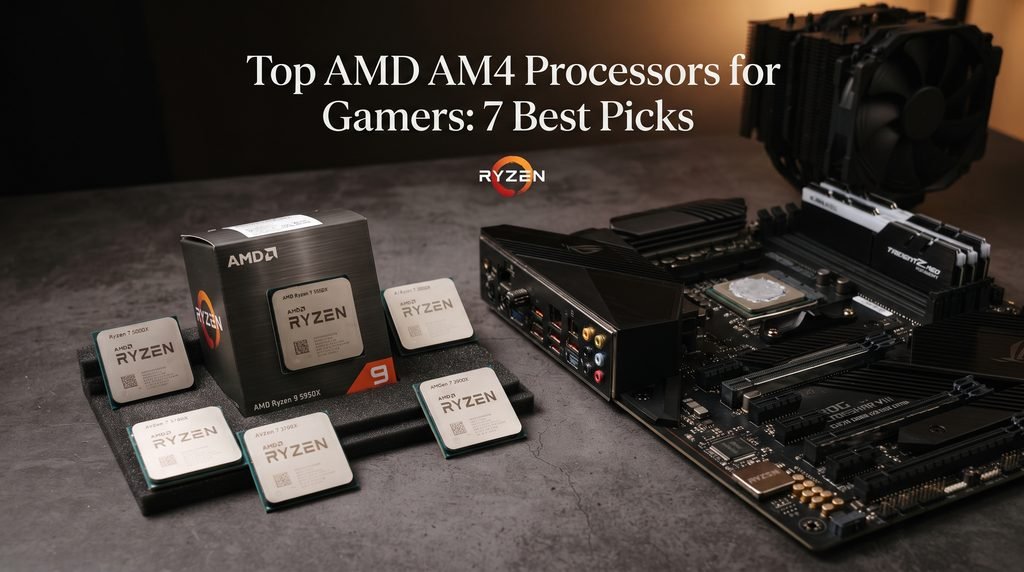
If you already own an AM4 gaming PC, replacing the entire platform is not always necessary. AMD’s Ryzen 5000 lineup still offers several capable processors for gaming, particularly for players who already have a compatible B450, B550, X470, or X570 motherboard and DDR4 memory.
The interesting part is that the best AM4 processor for gaming is not automatically the model with the most cores. AMD’s X3D chips demonstrate why cache can matter enormously in CPU limited games, while processors such as the Ryzen 5 5600 remain attractive for affordable systems. At the other end of the range, Ryzen 9 models can make more sense for gamers who also stream, edit video, render content, or run demanding background applications.
This guide compares the top AMD AM4 processors for gamers and explains which type of player each CPU suits best.
Why AM4 Still Makes Sense for Gaming
AM4 is an older platform, but that does not make every AM4 processor obsolete. Ryzen 5000 brought AMD’s Zen 3 architecture to the socket, while later X3D models added substantially more L3 cache for workloads that benefit from keeping more game data close to the CPU.
The Ryzen 7 5800X3D is particularly important in AM4’s gaming history. AMD lists it as an eight core, 16 thread processor with 96MB of L3 cache and support for its 3D V Cache technology. The processor uses the AM4 socket and supports DDR4 memory and PCIe 4.0.
The Ryzen 7 5700X3D followed the same general concept with eight cores, 16 threads and 96MB of L3 cache, but with a lower maximum boost clock of up to 4.1GHz.
That makes AM4 upgrades particularly interesting for people who already own a decent motherboard. Instead of replacing the motherboard, memory and processor together, an upgrade to a stronger AM4 CPU can extend the useful life of an existing gaming system.
However, compatibility should always be checked before buying. Motherboard chipset support and BIOS versions can vary, especially on older boards.
Top AMD AM4 Processors for Gamers
There is no single AM4 CPU that is ideal for every gaming PC. The right choice depends on your graphics card, target resolution, games, motherboard, budget and whether gaming is your only workload.
1. AMD Ryzen 7 5700X3D — Best AM4 Gaming Upgrade for Many Players
The Ryzen 7 5700X3D is one of the most compelling options for someone who wants to upgrade an existing AM4 gaming system without moving to a new platform.
AMD specifies eight cores and 16 threads, a 3.0GHz base clock, up to 4.1GHz boost, and 96MB of L3 cache. It uses the AM4 socket and supports DDR4 memory and PCIe 4.0.
The major reason to consider it is the 3D V Cache design. Rather than simply increasing clock speed or core count, AMD gives the processor a much larger cache pool. That can be valuable in games where CPU performance and cache behavior influence frame rates and frame time consistency.
For an AM4 owner with a reasonably powerful graphics card, the 5700X3D is particularly attractive because it represents a meaningful gaming oriented upgrade while retaining the existing platform.
It is also important to remember that it does not include an integrated graphics processor. AMD lists the chip as requiring a discrete graphics card.
Best for: AM4 owners looking for a strong gaming focused CPU upgrade.
Why choose it: Excellent combination of eight cores, 16 threads and large L3 cache.
Watch out for: You need a discrete GPU and an appropriate CPU cooler.
2. AMD Ryzen 7 5800X3D — Best High End AM4 Gaming Processor
The Ryzen 7 5800X3D remains one of the defining processors of the AM4 generation.
It combines eight Zen 3 cores and 16 threads with AMD 3D V Cache technology. AMD specifies 96MB of L3 cache, a maximum boost clock of up to 4.5GHz and a 105W default TDP.
For gamers already invested in AM4, its biggest advantage is that it delivers a gaming oriented upgrade without requiring a new motherboard or DDR5 memory platform.
The 5800X3D is especially interesting for high refresh gaming. At 1080p with a sufficiently powerful GPU, the processor can become more important than it would at GPU limited resolutions. At 1440p and 4K, the graphics card usually has a larger influence on overall frame rate, although CPU performance still matters for certain games and high refresh configurations.
There is a practical issue, though: buyers should evaluate its current market availability and pricing rather than assuming that its historical reputation automatically makes it the best purchase today.
If a 5800X3D costs substantially more than a newer or similarly capable alternative, the value equation changes.
Best for: Enthusiasts who want a premium gaming focused AM4 processor.
Why choose it: Eight cores, 16 threads and 96MB of L3 cache make it particularly gaming oriented.
Watch out for: Older high end hardware can become poor value if priced too aggressively by retailers.
3. AMD Ryzen 5 5600 — Best Value AM4 Gaming CPU
Not every gaming PC needs eight or 12 cores.
The Ryzen 5 5600 has six cores and 12 threads, a 3.5GHz base clock, up to 4.4GHz boost and 32MB of L3 cache. Its default TDP is 65W, and AMD specifies AM4, DDR4 and PCIe 4.0 support.
That specification is still well suited to mainstream gaming systems.
The Ryzen 5 5600 makes the most sense when your goal is to build or maintain a cost effective gaming PC rather than chase maximum CPU limited frame rates. Pairing it with an appropriate mid range graphics card can produce a balanced system without spending heavily on processor performance that the GPU may not allow you to use.
It is also a sensible upgrade for older Ryzen systems, provided your motherboard supports the chip and the required BIOS update.
One advantage is efficiency. At 65W, the 5600 is easier to cool than many higher power processors, and AMD’s specifications list a Wraith Stealth thermal solution with the boxed version.
Best for: Budget and mainstream gaming PCs.
Why choose it: Six Zen 3 cores, 12 threads and PCIe 4.0 support provide a strong foundation for affordable gaming.
Watch out for: It does not include integrated graphics, so a discrete GPU is required.
4. AMD Ryzen 5 5600X — A Familiar Mainstream Gaming Choice
The Ryzen 5 5600X is another six core, 12 thread Zen 3 processor. AMD specifies a 3.7GHz base clock and up to 4.6GHz boost, along with 32MB of L3 cache and a 65W default TDP.
Compared with the standard 5600, its higher clock speeds give it a modest specification advantage.
For a new purchase, however, the important question is not simply whether the 5600X is faster on paper. The real issue is how its current price compares with other AM4 options.
If the 5600X is only slightly more expensive than a 5600, it can make sense. If the price difference becomes substantial, a buyer should consider whether spending the extra money elsewhere would produce a more noticeable gaming improvement.
Best for: Mainstream AM4 builds when priced competitively.
Why choose it: Six cores, 12 threads, Zen 3 architecture and up to 4.6GHz boost.
Watch out for: Its value depends heavily on current pricing.
5. AMD Ryzen 7 5700X — Strong All Rounder for Gaming and More
The Ryzen 7 5700X gives you eight cores and 16 threads without moving to the Ryzen 9 class.
AMD lists a 3.4GHz base clock, up to 4.6GHz boost, 32MB of L3 cache and a 65W default TDP. Like the other processors discussed here, it uses AM4 and supports DDR4.
This makes the 5700X a useful middle ground.
If your PC is used primarily for gaming, an X3D model may be more interesting where gaming performance is the priority. But if you regularly stream, encode video, run development tools or perform other multithreaded work alongside gaming, the eight core 5700X can be a more balanced choice.
It also offers a relatively modest power target for an eight core processor, making it easier to integrate into a variety of AM4 systems.
Best for: Gamers who also use their PC for productivity and content creation.
Why choose it: Eight cores and 16 threads provide more multithreaded headroom than six core Ryzen 5 models.
Watch out for: Its gaming focused value depends on how close its price is to X3D alternatives.
6. AMD Ryzen 9 5900X — Best AM4 Choice for Gaming Plus Heavy Workloads
The Ryzen 9 5900X is where AM4 starts to become especially interesting for users who want more than a gaming machine.
AMD specifies 12 cores and 24 threads, with a 3.7GHz base clock, up to 4.8GHz boost and 64MB of L3 cache. It has a 105W default TDP and uses the AM4 socket.
For gaming alone, buying a 12 core processor is not automatically better than buying an eight core X3D chip. Game performance does not scale directly with core count, and some titles benefit more from cache and latency characteristics than from additional general purpose cores.
The 5900X becomes more compelling when gaming is only part of the workload.
For example, someone who games while streaming, edits video, compiles software or frequently performs CPU heavy multitasking may benefit from its 12 core configuration.
Best for: Gamers who also perform demanding CPU heavy tasks.
Why choose it: 12 cores and 24 threads provide considerable multitasking capacity.
Watch out for: It is not automatically the best gaming choice simply because it has more cores.
7. AMD Ryzen 9 5950X — Best AM4 CPU for Heavy Multitasking
At the top of the AM4 Ryzen 5000 stack sits the Ryzen 9 5950X.
AMD lists 16 cores, 32 threads, a 3.4GHz base clock and up to 4.9GHz boost. It has 64MB of L3 cache, a 105W default TDP, AM4 compatibility and PCIe 4.0 support.
This is a workstation class level of core and thread capacity within the AM4 family.
For pure gaming, however, it is difficult to justify selecting the 5950X solely because it has the highest core count. The extra cores become much more useful when the PC is simultaneously being used for demanding workloads such as video production, 3D rendering, software development or heavy multitasking.
AMD itself positions the processor for both gaming and creation workloads.
Best for: Gamers who also need serious productivity performance.
Why choose it: 16 cores and 32 threads offer exceptional multithreaded capability for an AM4 processor.
Watch out for: It is overkill for a gaming only PC in many configurations.
AM4 Gaming CPU Comparison
| Processor | Cores / Threads | Boost Clock | L3 Cache | TDP | Best Use |
|---|---|---|---|---|---|
| Ryzen 7 5700X3D | 8 / 16 | Up to 4.1GHz | 96MB | 105W | Gaming upgrade |
| Ryzen 7 5800X3D | 8 / 16 | Up to 4.5GHz | 96MB | 105W | High end AM4 gaming |
| Ryzen 5 5600 | 6 / 12 | Up to 4.4GHz | 32MB | 65W | Value gaming |
| Ryzen 5 5600X | 6 / 12 | Up to 4.6GHz | 32MB | 65W | Mainstream gaming |
| Ryzen 7 5700X | 8 / 16 | Up to 4.6GHz | 32MB | 65W | Gaming + productivity |
| Ryzen 9 5900X | 12 / 24 | Up to 4.8GHz | 64MB | 105W | Gaming + heavy workloads |
| Ryzen 9 5950X | 16 / 32 | Up to 4.9GHz | 64MB | 105W | Gaming + workstation work |
Specifications are based on AMD’s official processor documentation.
Which AM4 CPU Should You Choose?
The answer depends more on your existing PC than on the processor’s position in a ranking.
For a budget gaming build: The Ryzen 5 5600 is the most straightforward choice. Six cores and 12 threads are enough for a large range of modern gaming workloads, while its 65W specification keeps the platform relatively easy to cool.
For an existing AM4 gaming PC: The Ryzen 7 5700X3D is particularly attractive if you want a gaming focused upgrade without replacing the motherboard and DDR4 memory.
For maximum AM4 gaming performance: The Ryzen 7 5800X3D remains a significant X3D option. However, current pricing and availability should determine whether it is a sensible purchase.
For gaming plus streaming or content creation: The Ryzen 7 5700X, Ryzen 9 5900X or Ryzen 9 5950X can make more sense depending on the workload.
For a workstation that also plays games: The Ryzen 9 5950X’s 16 core, 32 thread configuration is the obvious AM4 choice when productivity performance is as important as gaming.
X3D vs Standard Ryzen CPUs for Gaming
The biggest decision for many AM4 gamers is whether to choose an X3D processor or a conventional Ryzen CPU.
The Ryzen 7 5800X3D and 5700X3D use AMD’s 3D V Cache technology. The large L3 cache is designed to increase the amount of frequently accessed data available close to the processor cores.
That does not mean every game receives the same benefit. Performance depends on the game’s engine, workload and whether the system is CPU or GPU limited.
A useful way to think about the choice is this:
- Mostly gaming: Prioritize an X3D model if the price is sensible.
- Gaming plus productivity: Consider a conventional eight, 12, or 16 core Ryzen.
- Budget gaming: A Ryzen 5 5600 can be a better allocation of money.
- High resolution gaming: Consider the complete CPU/GPU balance rather than focusing only on processor benchmarks.
The graphics card remains crucial. Pairing an expensive CPU with a graphics card that cannot take advantage of the processor’s additional gaming performance may produce less value than upgrading the GPU.
What to Check Before Upgrading an AM4 CPU
Before purchasing any AM4 processor, check your motherboard first.
BIOS compatibility
An older AM4 motherboard may require a BIOS update before supporting a newer Ryzen 5000 processor. Do not assume that physical socket compatibility guarantees CPU support.
Check the motherboard manufacturer’s official CPU support list and BIOS documentation.
Cooling
The processor’s thermal requirements matter. AMD lists a 105W default TDP for both the 5700X3D and 5800X3D, while the Ryzen 5 5600 and Ryzen 7 5700X are specified at 65W.
A stronger CPU may therefore require a better cooler, particularly if your existing system was designed around a lower power processor.
Graphics card balance
Think about the CPU and GPU as a pair.
A powerful CPU is most useful when the graphics card and game settings allow the processor to influence frame rates. At higher resolutions, GPU limitations often become more prominent.
Power supply and motherboard quality
A CPU upgrade can also expose weaknesses elsewhere in an older system. Check your motherboard’s VRM capability, BIOS support, cooling, PSU capacity and overall system condition.
When an AM4 Upgrade Is No Longer Worth It
AM4 upgrades are most attractive when you already own the platform.
If you are building an entirely new PC, the calculation is different. Buying an old platform simply because a particular AM4 processor is attractive can mean giving up newer platform features and future upgrade possibilities.
The same applies if your existing motherboard is particularly old, your memory is inadequate, or several components need replacement simultaneously.
An AM4 upgrade makes the most sense when you can reuse most of your current system.
If you already have a good AM4 motherboard, DDR4 memory and a capable graphics card, however, replacing the CPU can be considerably simpler than rebuilding the entire machine.
Common AM4 Gaming CPU Buying Mistakes
Choosing by core count alone: A 16 core processor is not automatically faster in every game than an eight core X3D chip.
Ignoring current pricing: The “best” processor changes when prices change. An older flagship can stop being a good buy if it costs too close to newer alternatives.
Forgetting BIOS support: Always verify motherboard compatibility before installing a Ryzen 5000 processor.
Overspending on the CPU: If the GPU is the primary limitation, moving from a mid range Ryzen to a much more expensive processor may deliver less gaming improvement than a graphics card upgrade.
Ignoring cooling: Higher performance CPUs need appropriate thermal management. AMD does not include a thermal solution with every Ryzen model, so check the specific processor’s package and cooling requirements before buying.
Assuming X3D wins every workload: 3D V Cache is especially relevant to gaming, but heavy productivity workloads can favor processors with higher core and thread counts.
Conclusion
The top AMD AM4 processors for gamers are not interchangeable choices. Each one makes sense for a different type of system.
The Ryzen 7 5700X3D stands out as a particularly compelling upgrade for existing AM4 gaming PCs because it combines eight cores and 16 threads with 96MB of L3 cache. The Ryzen 7 5800X3D remains an important high end AM4 gaming option, while the Ryzen 5 5600 offers a much more straightforward route to affordable Zen 3 gaming.
Gamers who also create content or run demanding applications should look beyond gaming benchmarks. The Ryzen 7 5700X, Ryzen 9 5900X, and Ryzen 9 5950X provide increasing levels of multithreaded performance, with the 5950X reaching 16 cores and 32 threads.
Ultimately, the best AM4 upgrade is the processor that matches your existing motherboard, graphics card, cooling system and actual workload. If you already have a solid AM4 platform, a carefully chosen Ryzen upgrade can still be a practical way to keep a gaming PC competitive without rebuilding everything from scratch.
FAQ
Is AM4 still good for gaming?
Yes. AM4 can still provide strong gaming performance, particularly with Ryzen 5000 processors and X3D models. It is especially attractive for existing AM4 owners who can upgrade the CPU without replacing their motherboard and DDR4 memory.
What is the best AM4 CPU for gaming?
For a gaming focused AM4 upgrade, the Ryzen 7 5700X3D is one of the strongest choices to consider. The Ryzen 7 5800X3D is another high end option, although its value depends heavily on current availability and pricing.
Is the Ryzen 7 5700X3D better for gaming than the Ryzen 9 5950X?
Not necessarily in every game or workload. The 5700X3D’s large 96MB L3 cache makes it particularly gaming focused, while the 5950X offers 16 cores and 32 threads for heavily multithreaded work.
Is Ryzen 5 5600 still good for gaming?
Yes. Its six cores, 12 threads, Zen 3 architecture and PCIe 4.0 support make it a sensible choice for budget and mainstream AM4 gaming systems.
Does an AM4 CPU work with every AM4 motherboard?
No. Socket compatibility does not guarantee motherboard compatibility. Check the motherboard manufacturer’s CPU support list and BIOS requirements before upgrading.
Do AM4 Ryzen processors support DDR5?
No. The Ryzen 5000 AM4 processors discussed here use DDR4 memory. Moving to DDR5 requires a different platform.
Do these AMD AM4 CPUs have integrated graphics?
Most of the processors discussed here require a discrete graphics card. For example, AMD explicitly lists the Ryzen 5 5600 and Ryzen 7 5700X3D as requiring discrete graphics.
Should you upgrade an AM4 CPU or build a new PC?
If you already have a capable AM4 motherboard, DDR4 memory and a suitable graphics card, a CPU upgrade can be worthwhile. For a completely new system, compare the total cost and upgrade path against newer platforms before choosing AM4.
LEAVE A PIXEL ZINE COMMENT