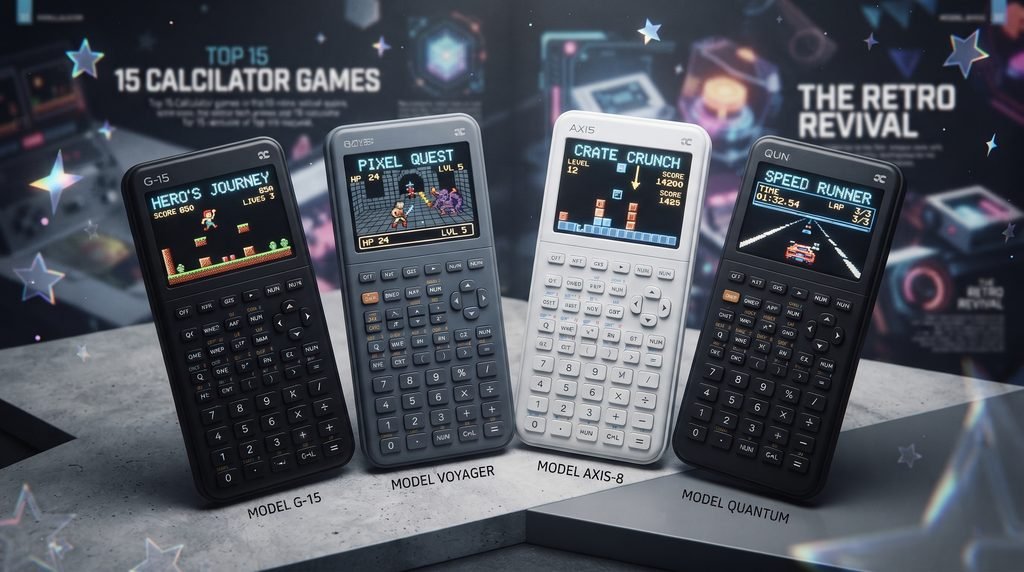
The Best Calculator Games are not necessarily the games with impressive graphics or complicated controls. Some of the most entertaining calculator titles work precisely because they turn a device designed for mathematics into a surprisingly capable little gaming machine.
Graphing calculators such as the TI 83 and TI 84 families have supported games for decades. Depending on the model and software setup, players can find everything from Snake and Tetris to platformers, puzzles, arcade games and even small role-playing experiences. MobyGames currently catalogs more than 150 games for Texas Instruments programmable calculators, illustrating how established this niche has become.
There is also a second category worth mentioning: games that use the calculator concept as their central mechanic. Calculator: The Game, for example, turns arithmetic operations into a puzzle system where players manipulate numbers through limited operations and increasingly unusual rules.
That gives calculator gaming two distinct identities. You can play conventional games on a calculator, or play games about using a calculator.
This guide focuses primarily on the first category while including a few calculator specific puzzle experiences that are especially interesting.
What Are Calculator Games?
Calculator games are games designed to run on programmable or graphing calculators rather than conventional consoles, PCs or smartphones.
The most recognizable examples come from the Texas Instruments TI 83 and TI 84 families. Their programmable hardware made it possible for hobbyist developers to create games using calculator programming languages and, in some cases, compiled programs.
The technical limitations are obvious compared with modern gaming hardware.
A calculator has a small display, limited processing power, limited storage and an unusual control layout. Yet those restrictions created a distinctive style of game development.
Developers had to build experiences around simple graphics, small maps, compact programs and button based controls.
That limitation is part of the appeal.
A calculator game does not try to compete with a PlayStation or gaming PC. It turns an everyday educational device into a tiny gaming platform.
The ecosystem is also much broader than a single type of game. Current calculator game collections include arcade games, puzzles, racing games, platformers, strategy games and other genres.
Best Calculator Games Worth Trying
There is no objective ranking because calculator hardware varies and some games require particular operating systems, shells or models.
The following selections are therefore based on playability, historical significance, suitability for calculator hardware and the variety they bring to the platform.
Snake
Snake is one of the most natural games for a calculator.
The basic concept requires very little processing power: move around the screen, collect objects, grow longer and avoid hitting yourself.
That simplicity translates extremely well to the small displays of TI calculators.
One documented TI 83/TI 84 version offers multiple speed settings and external level support, while other calculator versions reproduce the familiar Nibbles style formula.
The biggest strength of Snake is that you can understand it immediately.
There is no complicated tutorial or progression system. The challenge comes from reaction time and spatial planning.
Best for: Quick sessions and classic arcade fans.
Why play it: It demonstrates how effectively a simple game design can work on limited hardware.
Tetris
Tetris is another almost perfect match for graphing calculators.
The core mechanics require only a grid, falling pieces, rotation and collision detection. That means the game can remain recognizable even when the hardware is extremely modest.
ZTetris became one of the notable TI 83/TI 84 implementations, while newer TI 84 Plus CE collections include Tetris among their featured games.
Tetris also benefits from the calculator’s physical buttons. The directional controls are straightforward, making the game surprisingly comfortable once you become accustomed to the display.
The experience is obviously more primitive than playing Tetris on a modern console, but that is not really the point.
Calculator Tetris is appealing because the entire game has been compressed into an educational device.
Best for: Puzzle players and short competitive sessions.
Why play it: The underlying mechanics remain excellent regardless of graphical limitations.
2048
2048 is particularly well suited to calculators because it relies on a grid and simple number manipulation.
Instead of demanding fast reflexes, the game rewards planning. Each move changes the board, and careless decisions can quickly leave you without useful combinations.
TI 84 game collections list 2048 among their available calculator titles.
That makes it an interesting choice for players who want something quieter than an arcade game.
It also fits naturally with the mathematical identity of a calculator.
The game revolves around powers of two and numerical combinations, although playing it successfully requires pattern recognition and board management more than traditional arithmetic skills.
Best for: Strategy and puzzle players.
Why play it: It combines the calculator’s numerical identity with familiar puzzle gameplay.
Pac Man
Pac Man is one of the more ambitious classic arcade adaptations available for graphing calculators.
The appeal is obvious: maze navigation, enemies, collectibles and increasingly difficult movement all have to fit onto a small display.
Current TI 84 Plus CE game collections list Pac Man among their featured titles.
The calculator version cannot reproduce the visual presentation of an arcade cabinet, but the fundamental gameplay loop survives.
That is what makes these ports interesting.
You are not playing Pac Man because it looks better on a calculator. You are playing it because seeing a recognizable arcade concept operate on a graphing calculator is part of the novelty.
Best for: Retro arcade fans.
Why play it: A classic arcade formula works surprisingly well within calculator limitations.
Mario
Platformers are considerably more challenging to reproduce on calculators than games such as Snake or Tetris.
They require scrolling, collision detection, player movement, enemies and level design.
Yet Mario has been ported to TI calculators in various forms. TI Wizard lists Mario 2.0 for TI 83/83+ calculators and describes it as a side scrolling platform game.
The existence of these ports demonstrates how far calculator programmers pushed the hardware.
It is also important to distinguish a calculator port from an official Nintendo release. Many calculator versions are independent projects or ports rather than officially licensed products.
Best for: Platformer fans and retro tech enthusiasts.
Why play it: It is an excellent example of developers stretching calculator hardware beyond its intended purpose.
Minesweeper
Minesweeper works well on a calculator because its core mechanics are based on logical deduction rather than complex graphics.
The objective is to reveal safe spaces while using numerical clues to identify hidden mines.
TI 84 game collections include Minesweeper among their available titles.
The game is especially appropriate for a calculator because the player already expects to spend time examining numbers.
A calculator version can therefore feel less like a strange technical experiment and more like a natural puzzle implementation.
Best for: Logic game fans.
Why play it: The numerical interface suits the game’s deduction mechanics.
Geometry Dash
Geometry Dash is one of the more unusual calculator ports because the original game depends heavily on timing.
The calculator versions attempt to recreate that reflex based platforming concept within graphing calculator hardware. TI 84 Plus CE collections list Geometry Dash among their available games.
This type of game demonstrates the difference between processing limitations and design limitations.
A calculator cannot reproduce a modern mobile game’s visual quality, but the basic rhythm and timing concept can still be adapted.
Best for: Reflex focused players.
Why play it: It shows that calculator gaming is not restricted to slow puzzle games.
Portal
Portal is an especially interesting calculator project because the original game depends on 3D environments, physics and complex level design.
Calculator versions necessarily reduce that experience dramatically, but the concept has nevertheless been adapted into a much simpler format.
TI 84 Plus CE game collections currently list Portal among their featured calculator games.
The attraction here is less about reproducing the complete original experience and more about seeing how a recognizable gameplay idea can be redesigned for extremely limited hardware.
Best for: Experimental gamers and fans of unusual ports.
Why play it: It demonstrates creative adaptation rather than raw hardware power.
Flappy Bird
Flappy Bird is another good fit for calculator hardware because its original mechanics are extremely simple.
The player only needs to control vertical movement while avoiding obstacles.
TI 84 Plus CE collections include Flappy Bird among their featured games.
The game is a useful example of why simple mechanics often make the strongest calculator projects.
You do not need sophisticated graphics to create a difficult game. A small screen and a handful of buttons can be enough when the timing challenge is well designed.
Best for: Quick reflex challenges.
Why play it: Simple controls translate easily to calculator hardware.
Pong and Classic Arcade Games
Pong is another natural candidate for calculator gaming.
Two paddles, a ball and a basic playfield require very little computational power.
Calculator collections also include other classic arcade concepts, including Pong, Breakout style games and similar reflex based projects.
These games are particularly useful if you are interested in the history of calculator programming.
They reveal how developers can strip a game down to its essential interaction and rebuild it for hardware that was never designed for entertainment.
Best for: Retro gaming enthusiasts.
Why play it: Minimal hardware can still support recognizable arcade gameplay.
Calculator: The Game
Calculator: The Game deserves its own section because it approaches the idea from the opposite direction.
Instead of putting a conventional game onto a physical calculator, it makes the calculator itself the game mechanic.
The official App Store listing describes a puzzle game where players manipulate numbers using operations such as addition, subtraction, conversion and reversal.
The important distinction is that the goal is not simply to calculate the correct answer.
You are solving a puzzle by finding the right sequence of operations.
A level may give you a starting number and a target. Your available buttons determine what transformations you can perform. The challenge comes from figuring out the correct sequence within the restrictions.
That creates a surprisingly strong puzzle design.
It also demonstrates why calculator mechanics can work as game mechanics: numerical operations can function like movement abilities in a conventional puzzle game.
Best for: Logic fans who enjoy number based challenges.
Why play it: It turns familiar calculator operations into a genuine puzzle system.
The game is officially available on iPhone and iPad, so it should not be confused with games installed directly onto a TI graphing calculator.
Strategy and Educational Calculator Games
Not every calculator game needs graphics.
Some of the most interesting calculator games are essentially strategy exercises built around arithmetic.
One example is Target 100, in which players manipulate numbers toward a target value. Educational resources describe versions where players alternate making calculations until someone reaches the required target.
Another example is Calculator Wipe Out, where players manipulate individual digits in a number according to specific rules.
These games occupy an interesting space between education and entertainment.
They do not replace conventional video games, but they demonstrate that game design can exist without graphics heavy presentation.
Target Games and Number Challenges
Target games are particularly useful for players who enjoy optimization.
Instead of simply asking what answer a calculation produces, they ask:
How can I reach the target using the rules available to me?
That changes arithmetic into a strategic problem.
The player has to think about the next move instead of simply calculating the immediate result.
Calculator Wipe Out and Number Puzzles
Digit based games create another type of challenge.
Rather than trying to achieve a high score, the player manipulates the display until it satisfies a specific condition.
Educational calculator resources include games based on digit removal, reverse number challenges and other numerical transformations.
These are especially good examples of calculator games because the hardware itself becomes part of the rules.
Why TI 83 and TI 84 Calculators Became Gaming Platforms
The reason graphing calculators became such an interesting gaming platform is their programmability.
A programmable calculator is not simply a fixed purpose device. It can execute user created programs.
Texas Instruments’ calculator ecosystem has therefore supported a long running hobbyist programming community.
Historical game databases document calculator games going back decades, with MobyGames listing titles for TI programmable calculators from the 1970s onward.
As calculator hardware improved, developers gained access to better displays and more capable processors.
That progression made increasingly ambitious games possible.
The TI 83/84 family became particularly recognizable because of its popularity in education and its programmable architecture.
This produced an unusual situation: a device students already carried for mathematics could also become a miniature gaming platform.
Choosing Calculator Games by Play Style
The best calculator game depends heavily on what kind of player you are.
For classic arcade gameplay: Snake, Pac Man and Pong are strong choices.
For puzzle solving: Tetris, 2048 and Minesweeper offer more strategic play.
For platforming: Mario and Geometry Dash demonstrate what developers can do with limited hardware.
For experimental gameplay: Portal style calculator projects are worth exploring.
For numerical puzzles: Calculator: The Game and educational calculator challenges offer a different kind of experience.
For programming enthusiasts: Exploring TI BASIC or calculator specific development can be more rewarding than simply downloading finished games.
This is one area where calculator gaming differs from normal console gaming.
The platform itself can become part of the hobby.
How to Install Calculator Games
Installation depends heavily on the calculator model.
A game designed for a TI 84 Plus CE should not automatically be assumed to work on an older TI 84 or TI 83.
Some older calculator games require environments such as MirageOS or Ion. Current TI 83/TI 84 game databases explicitly identify those requirements for individual titles.
Modern calculator models can have different installation methods.
For example, current TI 84 Evo game resources describe transferring Python games directly to the calculator through a compatible desktop browser and USB connection.
A safe installation process is therefore:
- Identify the exact calculator model.
- Check the game’s compatibility requirements.
- Check whether the game needs a specific shell, operating system or programming environment.
- Use a reputable calculator software or game repository.
- Transfer the game using the method appropriate for your model.
- Keep backups of important calculator programs before changing system files.
Do not assume that a game listed as a TI 84 game will work identically on every TI 84 variant.
Model compatibility is one of the most important details in calculator gaming.
Common Calculator Gaming Mistakes
The biggest mistake is downloading a game before checking compatibility.
Calculator communities contain games developed for different generations of hardware. A program designed for an older monochrome calculator may not provide the same experience on a color model, while newer programs can require hardware or software that older devices lack.
Another mistake is expecting console quality presentation.
The appeal of calculator gaming is not visual fidelity. It is the creativity required to make a game work within severe hardware restrictions.
Storage is another consideration.
Graphing calculators have limited memory compared with modern computers and consoles. Installing too many programs can create practical problems, particularly on models with relatively constrained available storage.
Finally, avoid downloading random files from unknown sources.
A calculator may not be a gaming PC, but installing untrusted software is still a bad habit. Prefer established calculator communities, documented repositories and projects that clearly explain their compatibility requirements.
Are Calculator Games Still Worth Playing?
Yes, but for a very specific reason.
Calculator gaming is not going to replace modern console or PC gaming. The hardware is simply too limited.
What makes it worthwhile is the combination of nostalgia, programming, creativity and constraint.
A calculator game asks an interesting question:
How much gameplay can you create with almost no hardware?
Snake needs very little.
Tetris needs surprisingly little.
Even more ambitious projects demonstrate how programmers can rethink familiar mechanics rather than simply reproduce modern games at lower quality.
There is also a strong educational dimension.
Calculator games can encourage experimentation with programming, logic and problem solving. Educational resources have long used calculator based games to help students explore numbers and strategy rather than treating the calculator purely as a calculation tool.
For students and programming enthusiasts, that makes calculator gaming more interesting than a simple novelty.
It can be a small introduction to game development.
Final Verdict
The Best Calculator Games are the ones that work with the strengths of the hardware instead of fighting against them.
Snake remains a natural choice because its simple mechanics translate perfectly to a small display. Tetris demonstrates how strong puzzle design survives almost any graphical limitation. 2048 and Minesweeper are excellent for slower, strategic play, while Pac-Man, Mario, Flappy Bird and Geometry Dash show how ambitious developers have become when adapting familiar game ideas.
For something completely different, Calculator: The Game proves that calculator mechanics can become the foundation of a serious puzzle game rather than merely a novelty.
The most interesting part of calculator gaming, however, is not any individual title.
It is the platform itself.
A device designed for mathematics became a miniature gaming machine because users and programmers decided to push it beyond its intended purpose. That combination of limitation and creativity is exactly why calculator games remain fascinating decades after programmable calculators first appeared.
If you already own a compatible TI calculator, exploring its game library can be a surprisingly entertaining side project. And if you are interested in programming, calculator games offer an even better reason to experiment: they show how thoughtful game design can make limited hardware feel much more capable than its specifications suggest.
FAQ
What are the best calculator games?
Some of the strongest options include Snake, Tetris, 2048, Pac Man, Minesweeper, Mario, Flappy Bird and Geometry Dash. Availability depends on the calculator model and software environment.
Can you play games on a TI 84 calculator?
Yes. TI 83 and TI 84 calculators have a large library of games, although compatibility depends on the exact model and the software required by the individual game.
What is the best TI 84 game?
There is no universal winner. Tetris and Snake are excellent starting points because their mechanics work naturally on limited hardware, while Mario, Pac Man and other ports are more interesting for players who want ambitious adaptations.
Can you play Tetris on a calculator?
Yes. Tetris has been developed for multiple TI calculator models, including TI 83/84 family devices and TI 84 Plus CE systems.
Can you play Mario on a graphing calculator?
Yes. Calculator versions of Mario exist for TI 83 and TI 84 family calculators. These are generally independent calculator projects rather than official Nintendo releases.
Are calculator games free?
Many calculator games are distributed free by hobbyist developers, although availability and licensing vary. Some collections also contain paid projects or downloadable bundles.
Do all TI 84 calculators run the same games?
No. Different TI 84 models can have different hardware, operating systems and compatibility requirements. Always check the individual game’s requirements before installing it.
Is Calculator: The Game a real calculator game?
It is a calculator themed puzzle game rather than a game installed on a physical TI calculator. The official App Store version uses numerical operations and transformations as its core gameplay mechanics.
LEAVE A PIXEL ZINE COMMENT