Poki is a browser-based gaming platform that gives players access to a large collection of online games without requiring them to install every title individually. Its library covers everything from racing and action games to puzzles, sports, platformers, and multiplayer experiences. That variety makes it appealing to people who want something quick to play without committing to a full PC or console game.
But a large game library does not automatically make a platform enjoyable. Game quality, loading times, controls, advertisements, mobile compatibility, and the way players discover new titles all affect the experience.
This games in Poki review looks at the platform as a whole rather than treating it as one individual game. It examines its selection, accessibility, strengths, limitations, and practical features to help readers decide whether Poki deserves a place among their regular gaming destinations.
What Is Poki and How Does It Work?
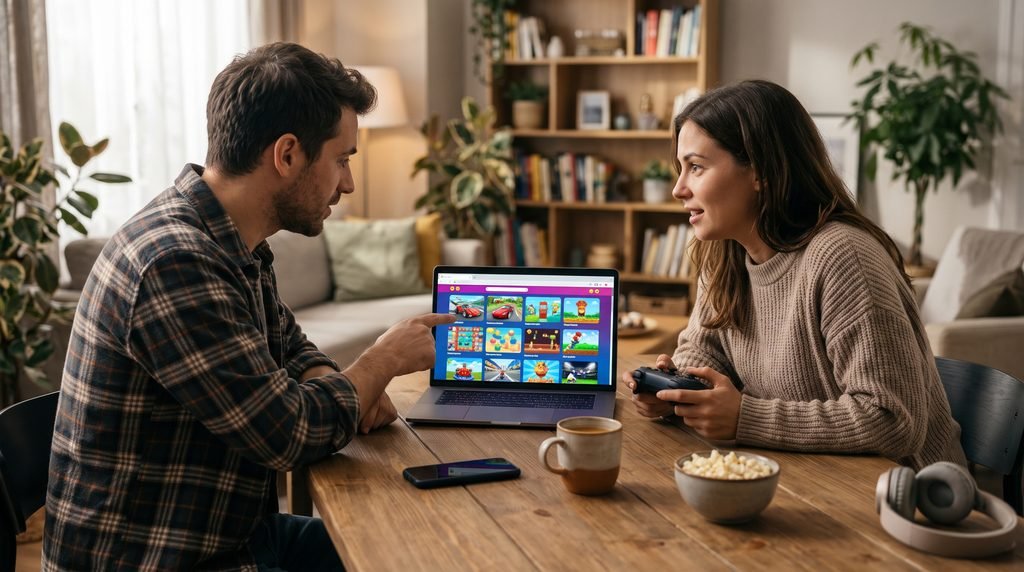
Poki is an online gaming platform that hosts browser games from developers around the world. Players visit its website, choose a title, and launch the game through a supported browser. The main attraction is convenience: most games can be started without downloading a separate game installer.
Poki describes its service as a free online playground with games across different genres and devices. Its official website currently presents a library of more than 1,500 games, although the exact selection can change as titles are added or removed. The platform also highlights games such as Drive Mad, Level Devil, Subway Surfers, and Retro Bowl on its homepage.
The basic process is straightforward:
- Open the official Poki website.
- Browse the homepage or select a game category.
- Choose a game that interests you.
- Wait for the game to load in the browser.
- Read the controls or instructions before starting.
- Play using the keyboard, mouse, touchscreen, or other supported input.
The browser-based format is particularly useful for people who do not want to manage a large collection of installed games. It also makes it easier to try unfamiliar genres. A player who normally enjoys racing games can switch to a puzzle or platform game without searching for a separate download.
However, browser gaming still depends on an internet connection, browser compatibility, and the performance of the device. It should not be confused with offline gaming or a replacement for every PC and console release.
Games in Poki Review: Exploring the Game Selection
The variety of games is one of Poki’s strongest selling points. Instead of concentrating on one genre, the platform provides different experiences for different moods and skill levels.
The following examples illustrate the types of games players may encounter. Availability and homepage rankings can change, so check the live catalog before choosing a specific title.
Action, Racing, and Adventure Games
Action games are a natural fit for browser play because many rely on short sessions, quick reactions, and straightforward objectives. Players might need to avoid obstacles, defeat opponents, survive waves of enemies, or complete a series of increasingly difficult challenges.
Drive Mad is a good example of a skill-based driving experience. Its uneven tracks make vehicle balance and controlled movement more important than simply holding the acceleration button. A small mistake can send the vehicle off the course, so players need to understand how speed and momentum affect each obstacle.
Level Devil offers a different kind of challenge. Its platforming stages use unexpected traps and deceptive obstacles to catch players who assume that a familiar-looking route is safe. Success depends on learning from mistakes and reacting carefully rather than rushing through every section.
Racing and action titles are especially suitable for players who enjoy immediate feedback. You can usually understand the main objective quickly, but mastering movement, timing, and level layouts may take repeated attempts.
Adventure-style games add more emphasis on exploration, objectives, and progression. Their appeal depends on the individual title: some provide a sequence of short levels, while others include larger environments and more involved systems.
The limitation is that browser-based action games vary considerably in depth. Some offer a satisfying challenge, while others are designed mainly for brief entertainment. Players looking for extensive campaigns, complex narratives, or advanced combat systems should check individual game descriptions before committing their time.
Puzzle, Casual, and Skill Games
Puzzle and casual games are another important part of the Poki experience. They suit players who prefer thinking, pattern recognition, timing, and problem-solving over fast combat.
Puzzle games can involve matching objects, arranging pieces, solving logic challenges, or identifying patterns. Their strongest feature is accessibility: many can be understood in a few minutes, but later stages may demand more careful planning.
Casual games are useful when you have a short break and do not want to learn a complicated control scheme. Some focus on collecting objects or completing simple objectives, while others introduce progressively harder challenges.
Skill-based titles can be more demanding than their simple presentation suggests. A game built around jumping, swinging, aiming, or balancing may require precise timing. Small improvements in control can make a noticeable difference to performance.
For players who enjoy gradual mastery, this category can be more rewarding than games that depend heavily on random outcomes. The best titles give clear feedback when a move succeeds or fails, allowing players to adjust their approach.
Multiplayer and Two-Player Games
Poki also features multiplayer and two-player experiences. These are useful when you want to compete or cooperate with another person rather than play alone.
The exact multiplayer format depends on the game. Some titles offer local two-player controls on the same device, while others connect players through online multiplayer systems. These formats are not interchangeable.
Before starting, check the game’s description and controls. A title labelled as multiplayer may require an internet connection or support a particular mode that is different from local shared-screen play.
For local play, make sure the keyboard or controller arrangement is comfortable for both participants. Two players sharing one keyboard may find that certain key combinations are awkward or unsupported.
Online multiplayer games also depend on network quality. Lag, connection interruptions, and matchmaking availability can affect the experience even when the game itself runs smoothly.
The variety is useful, but players should not assume every Poki title supports multiplayer. Check the individual game page rather than relying on the platform’s general category labels.
Gameplay Experience and Website Design
Poki’s central strength is how quickly players can move from browsing to playing. The platform is designed around game discovery, with categories, featured selections, and popular titles helping users find something without needing to know a game’s name in advance.
The homepage is particularly useful for casual browsing. If you are unsure what to play, you can explore different genres and select a title based on its description or presentation.
Game pages also provide practical information. Poki’s official FAQ explains that control instructions are available under individual games. On phones and tablets, players can scroll down the game page to find the controls. Many desktop games also offer a fullscreen option when supported.
That information matters because browser games do not all use the same control scheme. One game may rely on arrow keys, another on mouse movement, and another on touchscreen gestures.
A useful first step is to check the controls before starting a difficult level. It saves time and prevents unnecessary mistakes caused by using the wrong input.
Loading and Performance
Performance can vary from one game to another. A simple puzzle title may load quickly on an older laptop, while a more demanding 3D game may require better hardware and a stable connection.
Several factors influence performance:
- Internet connection: Slow or unstable internet can delay loading and interrupt online play.
- Browser: An outdated browser may cause compatibility problems.
- Device capability: Older processors and limited memory can struggle with more demanding games.
- Background applications: Too many open tabs or programs can reduce available system resources.
- Game design: Some browser games are naturally more demanding than others.
Poki does not make every game perform identically. It is better to judge performance by the individual title and device rather than assuming the entire platform will run at one consistent speed.
Playing Poki on Desktop, Mobile, and Tablet
One of the platform’s practical advantages is support for different screen sizes. Poki’s official mobile games section states that its mobile titles run through a phone or tablet browser without requiring a separate download for each game.
Desktop Experience
Desktop play is often the most comfortable option for games that depend on keyboard and mouse controls. Racing, platforming, strategy, and precision-based games can benefit from physical keys and a larger display.
Many desktop games also provide a fullscreen option. When available, Poki places an expand control near the lower-right area of the game screen.
For the best experience, use an updated browser and close unnecessary tabs if a game is running slowly.
Mobile Experience
Mobile play makes the platform convenient for short sessions away from a computer. Touchscreen games can be particularly comfortable when their controls are designed around taps and swipes.
However, not every desktop game translates perfectly to a phone. Small interface elements, complicated keyboard controls, or crowded screens can make certain titles less comfortable on a smaller display.
Poki’s mobile section specifically presents games designed for touch-based play. If you are browsing on a phone, starting with that category is a sensible way to find titles intended for mobile controls.
Tablet Experience
A tablet offers a useful middle ground. It provides more screen space than a phone while retaining touchscreen convenience.
Puzzle, casual, and many action games can work well on tablets. The actual experience still depends on whether the game supports the device’s browser and screen dimensions.
Players should also consider battery life and heat during longer sessions, especially on older devices.
Free Access, Advertisements, and Accounts
Poki’s free-to-play model is a major part of its appeal. The platform says its games are free to access, and players can start many titles without creating an account.
However, free access does not mean an advertisement-free experience.
Poki explains in its official FAQ that advertising helps fund the platform and supports game developers. It also states that it does not offer a paid, ad-free version of Poki.com. Players should therefore expect advertisements as part of the service.
This is an important consideration for people who prefer uninterrupted gameplay. Advertising can be a reasonable trade-off for free access, but its timing and frequency may affect the flow of a session.
Do You Need an Account?
An account is optional for basic access. Players can browse and play without signing up.
Poki also offers accounts with progress-saving benefits. According to its FAQ, an account can help players keep their game progress available when switching between supported devices.
Without an account, progress may be stored locally in browser cookies. That means clearing cookies, using private browsing, or changing browser settings can affect saved progress.
If you are playing a game that you intend to return to, check its saving method before closing the browser.
Is Poki Safe to Use?
Safety is an important consideration for any gaming website, particularly one that attracts younger players.
Poki states that games and advertisements are reviewed by its team and that its games run directly in the browser rather than installing software on the device. Its official FAQ also provides a dedicated section for safety and privacy questions.
That is useful information, but players should still use sensible online habits. No website should be treated as a reason to ignore browser security, privacy settings, or age-appropriate supervision.
A few practical precautions can help:
- Access the official Poki website rather than unfamiliar copycat pages.
- Keep your browser and operating system updated.
- Do not download unexpected files or extensions claiming to improve Poki games.
- Avoid sharing personal information in games or external websites.
- Review privacy settings and account permissions.
- Younger players should use age-appropriate games and suitable parental guidance.
Poki also operates a separate Poki Kids experience, which it describes as an ad-free, child-friendly space. Parents should review that service and its current terms rather than assuming every game on the main platform is automatically suitable for every age.
The platform’s safety measures are reassuring, but responsible browsing remains important.
Strengths and Weaknesses of Poki
Poki is most useful when convenience and variety matter more than the depth of a traditional premium game. Its advantages are clear, but there are limitations worth understanding.
Strengths
Large range of genres: Players can move between racing, action, puzzle, sports, casual, and multiplayer games.
Browser-based access: Many games can be started without installing a separate game client.
Free access: The platform offers a broad selection without requiring a purchase for each game.
Multiple devices: Desktop, mobile, and tablet support make it flexible for different situations.
Simple discovery: Categories and featured games help users find something without searching for a specific title.
Optional account: Players can access games without registering, while an account offers additional progress-saving convenience.
Weaknesses
Advertisements: The free model includes advertising, which may interrupt the experience.
Internet required: Poki games are online browser games, so they cannot be treated as an offline collection.
Uneven game quality: A large catalog naturally contains titles with different levels of depth, polish, and replay value.
Variable performance: Some games may run less smoothly on older devices or slower connections.
Limited depth in some titles: Players looking for long campaigns, advanced progression, or complex stories may find certain browser games too simple.
Progress-saving differences: Without an account, browser data and cookies can affect whether progress remains available.
The strengths make Poki appealing for casual gaming, while the weaknesses explain why it is not a complete replacement for PC, console, or dedicated mobile gaming libraries.
Practical Tips for Getting the Best Experience
A few simple habits can make browsing and playing on Poki more comfortable.
Choose games according to your device. If you are on a phone, begin with touchscreen-friendly mobile titles. On a desktop, keyboard-based platformers and racing games may be easier to control.
Read the controls first. Do not assume every game uses the same keys or gestures. Check the instructions on the game page before starting.
Test performance with a short session. If a game stutters, close unused tabs, check your internet connection, and try refreshing the page.
Use fullscreen when available. A larger game window can make certain desktop titles easier to follow.
Check progress-saving options. If you plan to return to a game, understand whether progress is stored in browser data or through an account.
Explore categories rather than choosing only featured titles. The homepage is a useful starting point, but browsing other genres can uncover games that better match your interests.
Be patient with difficult levels. In skill-based games, repeating a section can help you learn its timing and obstacle patterns. Changing your approach is often more effective than simply moving faster.
Who Should Play on Poki?
Poki is a good fit for players who want convenient access to a variety of free online games.
Casual players may appreciate being able to start a short game without installing a large application. Students and people using shared computers may find browser access practical, provided they follow their school or workplace rules.
Families can explore age-appropriate options, although parents should still check individual games and advertising arrangements. The separate Poki Kids experience may be worth investigating for younger children.
Mobile players can also benefit from the platform’s browser-based format, particularly when choosing games designed for touchscreen controls.
However, Poki may not satisfy players who mainly want demanding competitive games, extensive single-player campaigns, advanced graphics settings, or offline access. Those needs are better served by dedicated PC, console, or mobile titles.
Final Verdict
Poki is a convenient browser gaming platform with a broad selection of free games and support for desktop and mobile play. Its biggest advantage is accessibility: players can explore different genres and start many titles without installing separate game clients.
The experience is not perfect. Advertisements are part of the free model, internet access is required, and individual games vary in quality and performance. Some titles are best treated as short diversions rather than deep gaming experiences.
Overall, Poki is worth trying if you enjoy casual browser games, quick challenges, puzzles, racing, and accessible multiplayer experiences. It is less suitable as a replacement for full-scale PC or console gaming.
The best approach is to explore the catalog, test games that match your interests, and judge each title on its own merits. For convenient, free online entertainment, Poki offers a useful option—as long as you understand its limitations
FAQ
Are games on Poki free?
Yes. Poki says its games are free to play. The platform uses advertising to support its free gaming service and participating developers. Poki
Do Poki games require downloads?
Most games on Poki run directly in a web browser, so players generally do not need to install a separate game for each title. You do need an internet connection to play. Poki+1
Can I play Poki games on my phone?
Yes. Poki offers mobile games that run through a phone or tablet browser. The official mobile section describes support for modern browsers on iOS and Android devices. Poki
Is Poki safe for children?
Poki says it reviews games and advertisements and offers a separate Poki Kids experience. Parents should still check individual games, consider age suitability, and supervise younger players online. Poki+1
Can I save my progress on Poki?
Progress may be stored in browser cookies when you are not signed in. Poki accounts provide an option to save progress online and access it across supported devices. Private browsing or clearing cookies can affect locally stored progress. Poki
Can I play Poki games offline?
No. Poki explains that its games run online in a browser and require an internet connection. Poki
Does Poki have advertisements?
Yes. Advertising supports the free gaming experience and helps support developers. Poki says it does not offer a paid, ad-free version of its main website. Poki
What are some popular games on Poki?
Examples featured on Poki’s homepage include Drive Mad, Level Devil, Subway Surfers, and Retro Bowl. The featured selection can change, so check the live homepage for current recommendations. Play Now!
LEAVE A PIXEL ZINE COMMENT