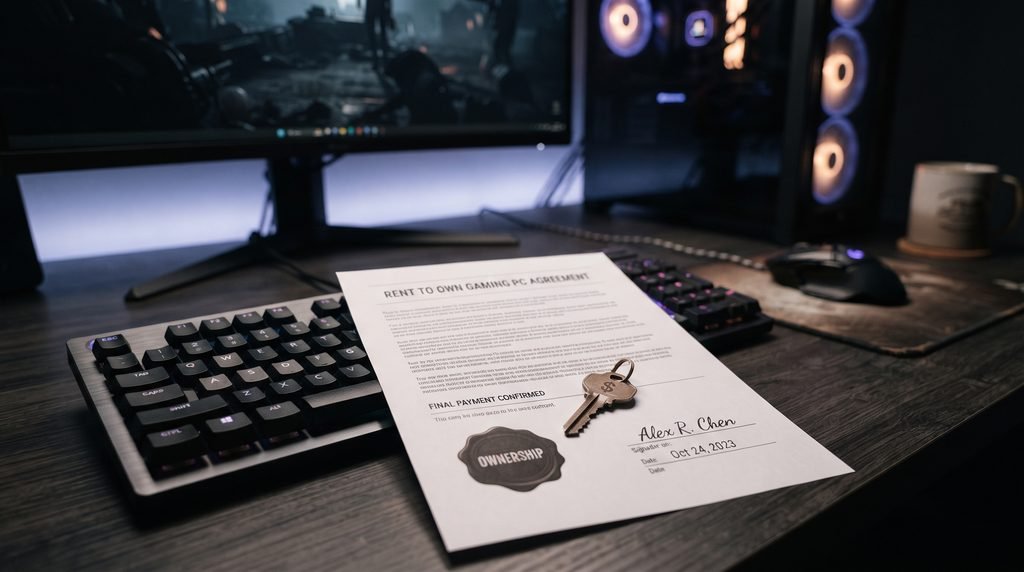
Rent to Own Gaming PCs can make a powerful desktop accessible without requiring the entire purchase price on day one. Instead of paying for the computer upfront, a shopper makes scheduled payments under a rent-to-own or lease-to-own agreement, with the contract providing a path to ownership under its stated terms.
That sounds straightforward, but there is an important catch: rent to own is not the same thing as financing, and neither is automatically the same as renting a gaming PC through a subscription service. The differences affect what you ultimately own, how much you pay, what happens when you miss a payment, and whether you can return or upgrade the machine.
Current PC retailers illustrate how varied these models can be. Rent A Center, for example, advertises rent to own gaming desktops with weekly, bi weekly, semi monthly, or monthly payment options. Meanwhile, NZXT’s Flex program is explicitly a subscription rather than rent to own: subscribers pay for access to a PC and return it when they cancel rather than eventually owning it.
For a gamer, therefore, the monthly payment is only the beginning of the comparison. The real questions are: What will I pay in total? What hardware am I getting? When do I own it? What happens if I stop paying? And would another payment method make more sense?
What Are Rent to Own Gaming PCs?
A rent to own gaming PC is a computer obtained through a contract in which you make recurring payments while having a contractual route to ownership.
Unlike an ordinary rental, the goal of a rent to own arrangement is generally to give the customer an opportunity to acquire the product after satisfying the agreement’s requirements. Lease to own arrangements can work similarly, although the exact ownership structure, payment schedule, early purchase terms, and total cost depend on the provider and contract.
The concept is particularly attractive for gaming hardware because a capable PC can require a substantial upfront investment. A player may want a machine with a modern discrete GPU, adequate RAM, fast SSD storage, and a processor capable of keeping up with demanding games, but may not have the cash available to purchase the complete system immediately.
The trade off is that spreading payments can increase the overall amount paid.
The U.S. Federal Trade Commission warns consumers considering rent to own or lease to own arrangements to examine the complete contract, including payment amounts, contract length, fees, ownership conditions, repair responsibilities, and cancellation terms. Longer arrangements can involve lower individual payments but a higher total cost.
That makes the contract more important than the advertised monthly figure.
How Rent to Own Gaming PCs Work
The basic process usually looks like this:
- Choose a gaming PC.
- Review the payment agreement and eligibility requirements.
- Make the required initial payment or fees, if applicable.
- Take possession of the computer.
- Continue making the scheduled payments.
- Meet the contract’s requirements for ownership or exercise an applicable early purchase option.
The exact process varies by provider.
Some companies market these arrangements specifically to customers who may not qualify for traditional credit. Rent A Center, for example, says its gaming desktop rent to own offering does not require conventional credit in the same way as a standard financing arrangement and allows customers to choose different payment frequencies.
However, no credit does not mean no financial obligation. You are still entering into a contractual payment arrangement, so the total payment obligation and consequences of missed payments matter.
Before agreeing to anything, find these figures in writing:
- Initial payment or setup fee
- Regular payment amount
- Payment frequency
- Number of payments required
- Early purchase price, if available
- Total cost to obtain ownership
- Late fees or other charges
- Return requirements
- Damage or repair responsibilities
- Ownership date or condition
- Upgrade or exchange provisions
- What happens after a missed payment
If the provider makes it difficult to identify the total amount needed to own the computer, that is a reason to slow down and investigate further.
Rent to Own vs Financing vs PC Subscription
These three models can look similar on a product page because they all allow you to avoid paying the entire PC price immediately. Financially and legally, however, they can be very different.
Rent to own or lease to own
With a genuine rent to own or lease to own arrangement, you make recurring payments under an agreement that provides a path to ownership.
The key question is not simply How much per month? It is:
How much will I pay altogether before the PC becomes mine?
Some agreements also provide early purchase options. Those can be important because paying earlier may change the total cost.
The FTC specifically recommends checking the contract’s total cost, payment schedule, ownership conditions, repair responsibilities, and cancellation or return policies before entering a rent to own or lease to own plan.
Traditional financing
Financing is different because you are generally purchasing the computer with borrowed money and repaying the financing provider according to its terms.
The comparison should include:
- Cash price
- Interest rate or promotional APR
- Number of payments
- Total amount financed
- Total repayment
- Fees
- Consequences of late payments
A low monthly payment does not necessarily mean a low total cost.
Current retailers can offer multiple payment methods for the same gaming PC. Best Buy product listings, for example, may show conventional financing, buy now pay later options, and lease to own options alongside the same PC.
That makes it possible for shoppers to compare different structures rather than assuming they are interchangeable.
Gaming PC subscriptions
A PC subscription is another category entirely.
NZXT Flex is a useful example because NZXT explicitly states that Flex is not rent to own or financing. Subscribers pay for access to a gaming PC, can cancel under the program’s terms, and return the machine rather than eventually owning it through the subscription. NZXT also says Flex includes hardware coverage and periodic refresh options.
That model can make sense for someone who values flexibility over ownership.
It does not make sense to compare its monthly payment directly with a rent to own agreement without considering what happens at the end.
A rent to own customer may be working toward ownership. A subscription customer is generally paying for continued access.
What to Check Before Signing a Rent to Own Agreement
The most important mistake is focusing entirely on the payment shown in large text.
Instead, examine the contract like a PC enthusiast examines a specification sheet.
1. Calculate the total ownership cost
Suppose a hypothetical gaming PC has a cash price of $1,200.
A rent to own agreement might advertise a payment that looks manageable each month, but the number of payments and additional charges determine the actual cost.
For example:
$100 × 18 payments = $1,800
The hypothetical customer would pay $600 more than the $1,200 cash price before considering any additional fees.
The numbers above are only an illustration, not a current provider quote. Always calculate using the actual agreement.
The FTC has emphasized the importance of giving consumers clear information about the total cost and payment terms in rent to own transactions.
2. Find out when ownership happens
Do not assume that making several payments automatically means you own the PC.
Ask:
- Does ownership occur after a fixed number of payments?
- Is there an early purchase option?
- Is there a final payment?
- Does the agreement remain a lease until a specific condition is met?
- What happens if you return the PC before ownership?
The answer should be written into the contract.
3. Understand missed payment rules
Gaming PCs are expensive electronics, and payment problems can create serious complications.
Check whether a missed payment can result in:
- Late charges
- Suspension
- Repossession or required return
- Loss of previous payments toward ownership
- Contract termination
- Additional collection activity
Never assume that a missed payment simply pushes the due date back.
4. Check repair and damage responsibilities
Gaming PCs contain multiple components: motherboard, CPU, GPU, RAM, storage, cooling hardware, power supply, and case components.
Find out who pays if something fails.
Also check how the contract treats accidental damage, upgrades, modifications, overclocking, liquid damage, or unauthorized component replacement.
5. Read the return policy
If you decide you no longer want the PC, can you return it?
If so:
- Do you owe additional fees?
- Are previous payments refundable?
- Is there a specific return window?
- Who pays shipping?
- Does the PC need to be returned with its original components?
These details can make a major difference.
Choosing the Right Gaming PC Hardware
A flexible payment plan cannot rescue an underpowered PC.
The machine itself still needs to match the games you intend to play.
GPU
For modern PC gaming, the graphics card deserves particular attention.
A system marketed as a gaming PC can range from a basic 1080p machine to a high end 4K system. Look beyond the brand name and check the exact GPU model and VRAM capacity.
Consider the resolution you intend to use:
- 1080p: A mainstream gaming GPU can be appropriate for many players.
- 1440p: More graphics performance becomes useful, particularly at high refresh rates.
- 4K: A substantially stronger GPU is generally required, especially when targeting high settings and demanding modern games.
Do not choose the GPU solely because the listing contains words such as gaming, performance, or high end.
CPU
The processor affects game performance, multitasking, simulation heavy titles, competitive games, and content creation.
For a gaming focused machine, check the exact CPU model rather than simply looking for a high core count.
A balanced PC matters. Pairing a powerful GPU with an unusually weak processor can create performance limitations in some games, while overspending on the CPU may leave less budget for the component that matters most to your target resolution.
RAM
For a new gaming desktop, memory capacity should be considered alongside the rest of the system.
Check:
- Total RAM
- Memory generation
- Configuration
- Upgrade capacity
- Number of available slots
A system with easily replaceable or expandable RAM gives you more flexibility later.
Storage
An SSD should generally be preferred for a modern gaming PC.
Check both capacity and type.
A fast 1TB SSD may be more practical for many gamers than a smaller drive that fills up after installing several large games.
Also investigate whether the system has additional M.2 or SATA expansion options.
Cooling and power supply
Cooling is often overlooked when people compare monthly prices.
Look at:
- CPU cooling solution
- Case airflow
- Number and placement of fans
- Power supply capacity
- Power supply quality
- Upgrade headroom
A gaming PC that runs demanding workloads for hours needs a sensible thermal design.
Advantages and Drawbacks for Gamers
Rent to own arrangements have legitimate advantages, but they also involve trade offs.
Potential advantages
Lower upfront cost:
You do not necessarily need the full purchase price immediately.
Access to stronger hardware:
A payment plan can make a more capable PC accessible sooner than saving the entire cash price.
Flexible payment schedules:
Some providers offer weekly, bi weekly, semi monthly, or monthly arrangements. Rent A Center currently advertises these options for its gaming desktops.
Alternative for limited traditional credit:
Some rent to own providers market programs designed for shoppers who may not use conventional credit.
Potential upgrade programs:
Some providers offer exchanges or upgrades. Rent A Center, for example, advertises an option to exchange a computer for a newer model under its program.
Potential drawbacks
Higher total cost:
The biggest issue is that the total amount paid can exceed the computer’s cash price.
Contract complexity:
The ownership and cancellation conditions can be more complicated than a straightforward purchase.
Payment risk:
Missing payments can have consequences specified by the agreement.
Hardware depreciation:
Gaming hardware changes quickly. A PC that seems powerful when the contract begins may look less impressive several years later.
Limited customization:
A prebuilt rent to own system may not provide the same component level flexibility as building a PC yourself.
Ownership may not be immediate:
If your goal is to own the computer outright, a subscription or ordinary rental is fundamentally different from a path to ownership agreement.
Who Should Consider This Payment Model?
Rent to own may be worth investigating for someone who needs a gaming PC now, cannot comfortably pay the full cash price, and has carefully compared the total contractual cost with other available payment methods.
It can be particularly relevant when:
- The PC is needed for both gaming and school or work.
- The buyer has limited access to conventional financing.
- The payment schedule fits a stable budget.
- The contract has a clearly stated path to ownership.
- The total cost is understood before signing.
- The hardware remains useful throughout the payment period.
It deserves more caution if the monthly payment only fits the budget by leaving no room for unexpected expenses.
A gaming PC is a discretionary purchase for many households. Taking on a long payment obligation for hardware that depreciates quickly deserves more scrutiny than simply asking whether the monthly amount looks affordable.
How to Calculate the Real Cost
Before choosing among Rent to Own Gaming PCs, financing, subscription, and cash purchase, make a simple comparison table.
| Option | Upfront Cost | Monthly Cost | Ownership | Key Question |
|---|---|---|---|---|
| Cash purchase | Higher | $0 | Immediate | Can you afford it comfortably? |
| Financing | Varies | Varies | Usually purchase based | What is the total repayment? |
| Rent to own | Usually lower | Varies | After contract requirements | What is the total ownership cost? |
| Subscription | Usually lower | Varies | No ownership through subscription | What do you receive for returning it? |
Then calculate:
Total cost = upfront payments + all scheduled payments + mandatory fees + other required charges
Do not compare one plan’s monthly figure with another plan’s monthly figure and stop there.
A $100 monthly payment for 12 months and a $100 monthly payment for 30 months are obviously not equivalent.
Also compare the same class of hardware. A $1,000 gaming PC and a $2,000 gaming PC should not be compared purely because both have similar monthly payments.
Practical Checklist Before You Buy
Before signing a contract for a gaming desktop, confirm these points:
Financial
- What is the cash price?
- What is the total ownership cost?
- Are there setup or administrative fees?
- Is there an early purchase option?
- What happens after a missed payment?
Hardware
- What exact CPU is included?
- What exact GPU is included?
- How much VRAM does it have?
- How much RAM is installed?
- How much SSD storage is included?
- Can RAM and storage be upgraded?
- What power supply is installed?
- What cooling system does it use?
Contract
- When do I legally own the PC?
- Can I return it?
- What happens to previous payments if I return it?
- Who covers repairs?
- What counts as accidental damage?
- Are upgrades permitted?
- What happens if the company changes or discontinues the model?
Gaming
- What resolution is the PC designed for?
- Does it meet the requirements of the games you actually play?
- Is the GPU appropriate for your monitor’s refresh rate?
- Will the PC remain upgradeable?
This checklist can prevent a common mistake: choosing the payment plan first and the hardware second.
Rent to Own Gaming PCs vs Building Your Own
Building a PC yourself is another alternative worth considering.
A self built machine can provide greater control over:
- CPU
- GPU
- motherboard
- RAM
- storage
- power supply
- cooling
- case
- future upgrades
You also avoid a rent to own contract.
The downside is that you need enough money to buy the components, assemble the system, troubleshoot it, and handle individual warranties.
A prebuilt rent to own system offers convenience and immediate access, but you sacrifice some of that flexibility.
For gamers who understand PC hardware and can save toward a cash purchase, building or buying outright may be worth comparing. For someone who needs a working desktop immediately and values a structured payment arrangement, rent to own can be another route.
The important part is comparing the complete financial and hardware picture, not simply the convenience of receiving the computer today.
Why PC Subscriptions Deserve Separate Consideration
Subscription models are becoming more relevant because they solve a different problem.
NZXT Flex currently describes its service as a month to month gaming PC subscription with options to cancel, swap tiers, and refresh the system. NZXT also states that subscribers do not own the PC through Flex.
That can be useful for gamers who prioritize:
- Flexibility
- Hardware support
- Easy replacement
- Regular refreshes
- Avoiding a long term ownership commitment
But it is not a substitute for a rent to own plan if your primary goal is eventually owning the hardware.
This distinction is easy to miss because both models can be advertised using a monthly price.
Final Verdict: Look Beyond the Monthly Payment
Rent to Own Gaming PCs can provide a practical way to access gaming hardware without paying the entire purchase price upfront. But the monthly payment should never be the main measure of whether a particular agreement makes sense.
The better approach is to compare four things simultaneously:
- The exact hardware you’re receiving
- The total amount you’ll pay
- The conditions for ownership
- The alternatives available to you
A good gaming PC should still be a good gaming PC after you remove the payment plan from the equation.
Check the GPU, CPU, RAM, storage, cooling, upgradeability, and expected gaming performance first. Then examine the contract. Finally, compare the total cost with cash purchase, conventional financing, and subscription options.
That process takes more time than clicking a monthly payment button, but it gives you a much clearer picture of what you’re actually buying—and what you’re agreeing to pay for it.
FAQ
Are rent to own gaming PCs the same as financing?
No. Rent to own or lease to own arrangements and traditional financing can have different ownership structures, contract terms, fees, and total costs. Always compare the complete agreement rather than just the monthly payment.
Can you get a rent to own gaming PC with no traditional credit?
Some providers advertise rent to own programs that do not rely on conventional credit approval. Rent A Center, for example, markets its gaming desktop program as an option where credit is not an issue under its stated terms. Requirements vary by provider and location.
Do you own a gaming PC after making monthly payments?
Not necessarily after a particular number of payments unless the contract says so. Check the agreement for the exact ownership condition, final payment requirements, and early purchase terms.
Are rent to own gaming PCs more expensive than buying with cash?
They can be. The total cost depends on the payment schedule, fees, early purchase terms, and contract structure. The FTC advises consumers to determine the total cost before agreeing to a rent to own or lease to own arrangement.
Is a gaming PC subscription the same as rent to own?
No. For example, NZXT explicitly describes Flex as a subscription rather than rent to own. The customer pays for access and returns the PC rather than acquiring ownership through the subscription.
What specifications should I prioritize when choosing a gaming PC?
Start with the GPU, then consider the CPU, RAM, storage, cooling, and power supply. Match the hardware to your target resolution and the games you actually intend to play.
Can you upgrade a rent to own gaming PC?
That depends on the provider and contract. Some systems may permit hardware upgrades, while others may restrict modifications. Confirm the rules before replacing components.
What should I check before signing a rent to own gaming PC contract?
Check the cash price, total ownership cost, payment schedule, mandatory fees, ownership conditions, early purchase option, missed payment consequences, repair responsibility, return policy, and upgrade restrictions.
LEAVE A PIXEL ZINE COMMENT