Search intent: Mixed, with a strong informational and transactional focus. People searching for billy bob games are generally looking for a place to play free browser games, understand what the platform offers, find classic Flash or retro titles, or identify a specific Billy Bob game. The name is also used for individual games such as Billy Bob Abduction, so knowing the distinction matters.
If you searched for billy bob games, you probably want something simple: pick a game, click it, and start playing without installing a large client or waiting through a complicated setup. That is the core appeal of the Billy Bob Games ecosystem. The main Billy Bob Games site presents a collection spanning classic Flash titles, browser games, and emulated retro games, while a GitHub-hosted version describes itself as a hub for unblocked games and embeddable titles.
There is one important wrinkle: Billy Bob Games is not the name of one universally defined game or franchise. It can refer to a browser-game collection, a GitHub-hosted project, or searches for individual older games carrying the Billy Bob name. This guide separates those uses, explains what players can realistically expect in 2026, and offers practical advice for choosing games, dealing with older Flash content, and staying on the safer side of browser gaming.
What Are Billy Bob Games?
Billy Bob Games is best understood as a browser gaming platform or collection rather than one standalone title.
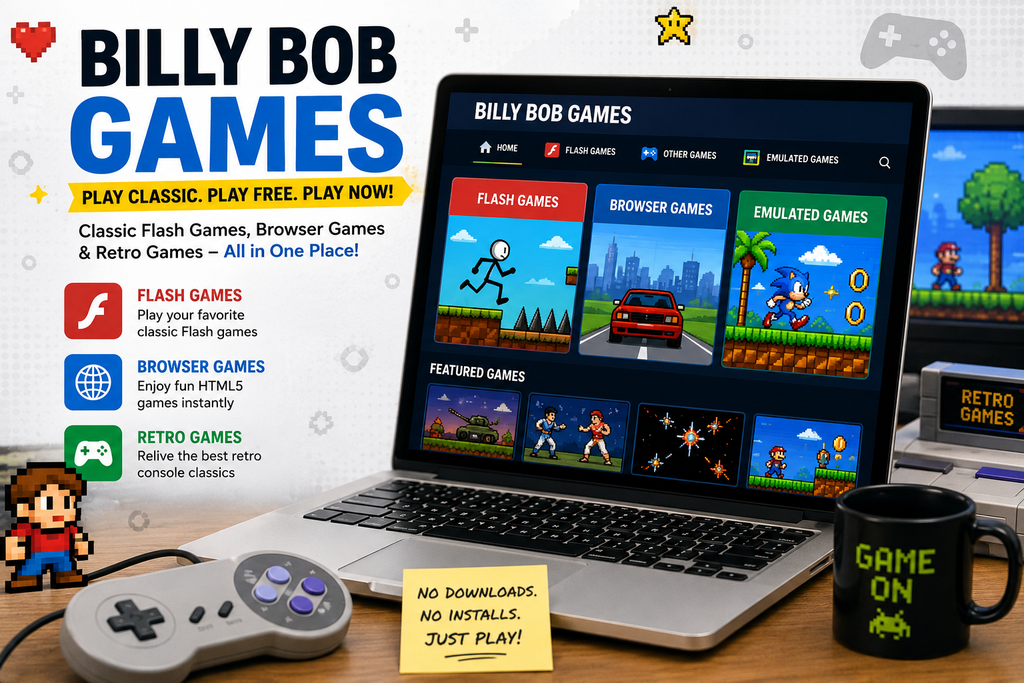
The Billy Bob Games website currently organizes its library into categories including Flash Games, Other Games, and Emulated Games. The Flash section uses Ruffle, while the emulation section includes retro console titles. That combination makes the platform particularly interesting to players who enjoy older browser gaming but do not want to maintain obsolete software.
The GitHub Pages version has a similar structure, describing itself as a site dedicated to unblocked games and providing embeddable games for website creators.
That means a search for “Billy Bob Games” can lead to very different expectations:
- Browser-game collection: A library of games playable directly online.
- Flash preservation: Older games made playable through modern browser technology.
- Retro emulation: Console-era games presented through browser-based emulators.
- Individual Billy Bob titles: Separate games such as Billy Bob Abduction.
- GitHub projects: Archives and related open-source or community-maintained versions.
Understanding this distinction prevents a common search mistake: expecting “Billy Bob Games” to be one specific game with one developer, story, and progression system.
What Can You Play on Billy Bob Games?
The strongest feature of the platform is variety. The current Billy Bob Games library advertises three broad groups: classic Flash games, other browser games, and emulated games.
Classic Flash games
Flash was responsible for a huge part of early web gaming, particularly during the 2000s and early 2010s. Thousands of small arcade, puzzle, platform, strategy, and experimental games were designed around it.
Modern browsers no longer support Adobe Flash directly, so preservation projects have had to find alternatives. Billy Bob Games uses Ruffle, an open-source Flash emulator, to run supported Flash content in contemporary browsers.
This is useful because players don’t need to install the old Adobe Flash Player just to try a legacy title.
Compatibility is not automatically perfect, though. Older Flash games can depend on unusual scripts, timing behavior, audio systems, or browser features. If one game behaves incorrectly while another works normally, that does not necessarily mean your computer is broken.
Modern browser games
The collection also includes games that do not depend on the old Flash technology. These are generally easier for modern browsers to handle because HTML5 and JavaScript are native parts of today’s web environment.
The appeal here is convenience. A lightweight puzzle or arcade game can be played without downloading a multi-gigabyte installation or reserving significant storage space.
Emulated retro games
Billy Bob Games also lists emulated games from older console platforms, including Sega, NES, and Game Boy Advance-related content.
This category appeals to a different kind of player. Instead of revisiting browser gaming from the Flash era, you’re using the browser as a way to experience older console-style games.
Performance can vary considerably between titles, especially when emulation is involved. A modern desktop or laptop should generally have an easier time than an older low-powered device, but the actual result depends on the emulator, game, browser, and hardware.
Why Billy Bob Games Appeals to Retro Players
The biggest advantage is not graphics. It is frictionless access.
Modern AAA games often involve launchers, accounts, updates, patches, storage requirements, controller configuration, and lengthy installations. Browser games remove much of that overhead.
That makes the Billy Bob Games model particularly attractive when you have only a short amount of time.
A player might want:
- A five-minute puzzle session
- A quick arcade game during a break
- An old Flash title remembered from childhood
- A retro game without setting up an emulator locally
- Something lightweight for a Chromebook or ordinary laptop
The experience is fundamentally different from playing a major PC or console release. You aren’t looking for a cinematic campaign or hundreds of hours of progression. You’re looking for immediate playability.
That distinction is important when judging the platform. Comparing a browser-game archive directly with Steam, PlayStation, Xbox, or a modern AAA PC library misses the reason these sites exist in the first place.
How to Play Billy Bob Games in a Modern Browser
The basic process is straightforward.
Start with the game library
Use the Billy Bob Games library to browse the available categories. The current site separates Flash, other browser games, and emulated games, making it easier to identify the type of technology behind a title.
Choose the right type of game
If you’re looking for nostalgia, start with the Flash section. If you want something likely to behave more predictably in a current browser, an HTML5 title is usually the simpler choice.
For retro console games, expect the experience to depend on browser emulation rather than native PC execution.
Use a current browser
Chrome, Edge, Firefox, and Safari are generally preferable to outdated browsers. Keeping the browser updated also reduces compatibility and security problems unrelated to the game itself.
Give older games time to initialize
A Flash-era game may take longer to initialize than a basic HTML5 title. If the game appears blank, check whether the page is still loading before repeatedly refreshing it.
If a particular game remains broken, try another title. Preservation technology is impressive, but it cannot guarantee perfect compatibility with every historical Flash game.
Is Billy Bob Games Free?
The Billy Bob Games platform advertises its games as free to play. Its current library describes the games as playable directly in the browser without requiring a conventional paid game purchase.
That makes it fundamentally different from commercial gaming storefronts.
There is also a separate BillyBobGames.net site that describes its own collection as free browser games and says users can play without downloads or paywalls.
Because multiple websites use the Billy Bob Games name, however, don’t assume every site appearing in search results is operated by the same organization. Domain names, ownership, game libraries, and policies can differ.
That is one of the most important practical points for anyone searching the keyword.
Is Billy Bob Games Safe?
Safety depends partly on which Billy Bob Games domain you are using and what the individual game requires.
The safest approach is not to assume that every result carrying the Billy Bob name is equally trustworthy. Search results contain multiple Billy Bob-branded domains and third-party portals, so users should verify the site before interacting with downloads, browser permissions, or unfamiliar redirects.
Avoid unnecessary downloads
A browser game that is supposed to run online should not normally require you to install a mysterious “game launcher,” browser extension, executable, or Flash installer.
If a page tells you that modern Chrome or Edge needs an unofficial Flash download, treat that as a warning sign.
Ruffle exists specifically to provide Flash compatibility without requiring the discontinued Adobe Flash Player.
Be careful with browser permissions
A simple game should rarely need access to sensitive browser features. Be cautious if a site requests notifications, unusual permissions, downloads, or extensions that aren’t necessary for gameplay.
Check the domain
This matters more than the name displayed in a page title.
“Billy Bob Games” can appear across different domains and mirrors. Before downloading anything or entering personal information, check the actual website address and its policies.
The Billy Bob Games site also provides dedicated pages for site information, privacy, terms, and copyright-related requests, which is useful when evaluating the site itself.
What Is Billy Bob Abduction?
One source of confusion around the keyword is Billy Bob Abduction, an older browser game developed by Sarbakan.
Unlike the general Billy Bob Games collection, this is an individual game. It is a point-and-click adventure in which the player investigates the disappearance of Billy Bob, a farmer whose abduction may involve aliens. The player controls detective character Happy McGreed while investigating locations connected to the mystery.
The game is associated with the Flash era and has been preserved by Flash-game archives. Flash Museum lists Sarbakan as the developer and identifies it as a single-player arcade title.
This is a useful distinction for searchers: if you specifically remember a mystery involving Billy Bob’s disappearance, you may actually be looking for Billy Bob Abduction, not the broader Billy Bob Games platform.
What Makes Older Browser Games Worth Playing Today?
Retro browser gaming has one advantage that modern games sometimes lose: low commitment.
A classic browser title often communicates its mechanics quickly. You might understand the objective within a minute and be playing effectively shortly afterward.
That creates a different kind of challenge from modern progression-heavy games.
Simple controls can produce demanding gameplay
Don’t mistake simple controls for easy design.
A game with only arrow keys and one action button can still require precise timing, pattern recognition, resource management, or repeated attempts.
Older browser games frequently rely on straightforward mechanics because the games were designed around limited technology and short sessions.
Nostalgia changes how players judge a game
A game that looked impressive on a school computer in 2008 may look extremely basic on a modern 4K monitor.
That’s fine.
The value of these games is often tied to their mechanics, presentation, historical context, or memories associated with them. They don’t need modern rendering technology to remain interesting.
Short sessions are part of the appeal
Browser gaming works particularly well when you don’t want a long commitment.
A 10-minute session can be enough to finish a puzzle, beat a high score, or revisit a favorite mechanic. That’s a legitimate gaming experience, not simply a smaller version of console gaming.
Tips for Getting Better Performance
If Billy Bob Games is running poorly, the problem may not be the game itself.
Close unnecessary browser tabs
Emulators and browser games compete with other tabs for CPU and memory resources. Closing video streams, large web applications, and unused tabs can make a noticeable difference on lower-end hardware.
Try another browser
Different browsers can behave differently with older JavaScript and emulator workloads. If a title has graphical or input problems, testing another current browser is a reasonable troubleshooting step.
Disable unnecessary extensions temporarily
Privacy tools, script blockers, aggressive content blockers, and other extensions can occasionally interfere with browser games.
If a game suddenly stops working after an extension update, testing the page with extensions temporarily disabled can help identify the problem.
Use desktop hardware for demanding emulation
Mobile browsers are convenient, but older console emulation and certain legacy games can be less predictable on phones and tablets.
For games with complex controls, a desktop or laptop is often the more comfortable option.
Billy Bob Games for Different Types of Players
The platform makes the most sense for several distinct audiences.
For retro enthusiasts
Start with Flash and emulated games. You’re likely to get the most value from discovering forgotten titles rather than looking for cutting-edge graphics.
For casual players
Choose short arcade, puzzle, or skill-based games. These tend to fit the browser format particularly well.
For students and Chromebook users
Browser gaming can be convenient because it doesn’t require a traditional PC installation. However, school networks have their own acceptable-use policies and technical restrictions, so a game’s ability to load should never be treated as permission to bypass institutional rules.
For developers and preservation enthusiasts
The GitHub-hosted Billy Bob Games project is particularly relevant because it identifies itself as a collection intended to provide unblocked games and embeddable titles, with GitHub used for project-related reporting and development.
That makes the ecosystem interesting beyond simply playing games. It touches on game preservation, browser compatibility, and the technical challenge of keeping obsolete web content functional.
Are Billy Bob Games Better Than Modern Game Portals?
There isn’t a universal winner because the platforms serve different purposes.
A modern portal may offer a cleaner interface, newer HTML5 releases, stronger discovery tools, or more polished multiplayer experiences. Billy Bob Games is more compelling when your priority is classic browser content, retro games, and quick access.
Think of it this way:
| If you want… | Billy Bob Games makes sense when… |
|---|---|
| Flash-era nostalgia | You want to revisit older browser games |
| Quick sessions | You don’t want a lengthy installation |
| Retro gaming | You enjoy older console-style titles |
| Simple gameplay | You prefer mechanics you can learn quickly |
| Game preservation | You’re interested in keeping older web games playable |
| AAA gaming | A dedicated PC or console platform is usually more appropriate |
The platform’s strength is specialization, not technological competition with modern gaming hardware.
Frequently Asked Questions About Billy Bob Games
What are Billy Bob Games?
Billy Bob Games generally refers to a browser-game collection featuring Flash-era games, modern browser titles, and emulated retro games. The current Billy Bob Games library organizes content into Flash, other browser games, and emulated categories.
Do Billy Bob Games require Adobe Flash?
No. The current Billy Bob Games site states that its classic Flash games use Ruffle, allowing supported Flash content to run without the discontinued Adobe Flash Player.
Can I play Billy Bob Games on a phone?
Some browser games can work on mobile devices, but compatibility depends on the individual title. Simple HTML5 games are generally better candidates for touchscreens, while older Flash or emulator-based games may be more comfortable on desktop.
Is Billy Bob Abduction the same thing as Billy Bob Games?
No. Billy Bob Abduction is an individual older game developed by Sarbakan. It is a point-and-click mystery involving the disappearance of Billy Bob. The broader term “Billy Bob Games” usually refers to a browser-game collection or platform.
Are Billy Bob Games legal to play?
That depends on the specific game, its copyright status, and how a particular website is hosting it. The fact that a game is available online does not automatically establish that every copy or mirror is authorized. Players should favor legitimate preservation projects and respect developers’ and publishers’ copyright policies.
Why won’t an old Billy Bob game load?
The most likely explanations are browser compatibility, incomplete Flash emulation, blocked scripts, an incompatible extension, or a problem with the particular game itself. Try refreshing, using another current browser, disabling interfering extensions, or selecting another version of the title.
Final Thoughts on Billy Bob Games
Billy Bob Games is best viewed as a gateway to browser gaming’s older and lighter side, rather than as a conventional modern game platform. Its combination of Flash preservation, browser-native games, and retro emulation gives it appeal to players who value quick sessions and gaming nostalgia over high-end graphics.
The most useful thing to remember is that the name covers more than one concept. The Billy Bob Games platform is a collection; Billy Bob Abduction is a specific older game; and multiple websites use similar branding. Checking the actual domain and the technology behind a game is therefore more useful than assuming every search result belongs to one unified franchise.
For players who simply want to browse, choose a title, and get into a game without a major installation, that simplicity remains the platform’s strongest selling point. And for retro enthusiasts, the bigger attraction is preservation: keeping pieces of the old browser-gaming era playable long after the technology they were built for disappeared.
LEAVE A PIXEL ZINE COMMENT