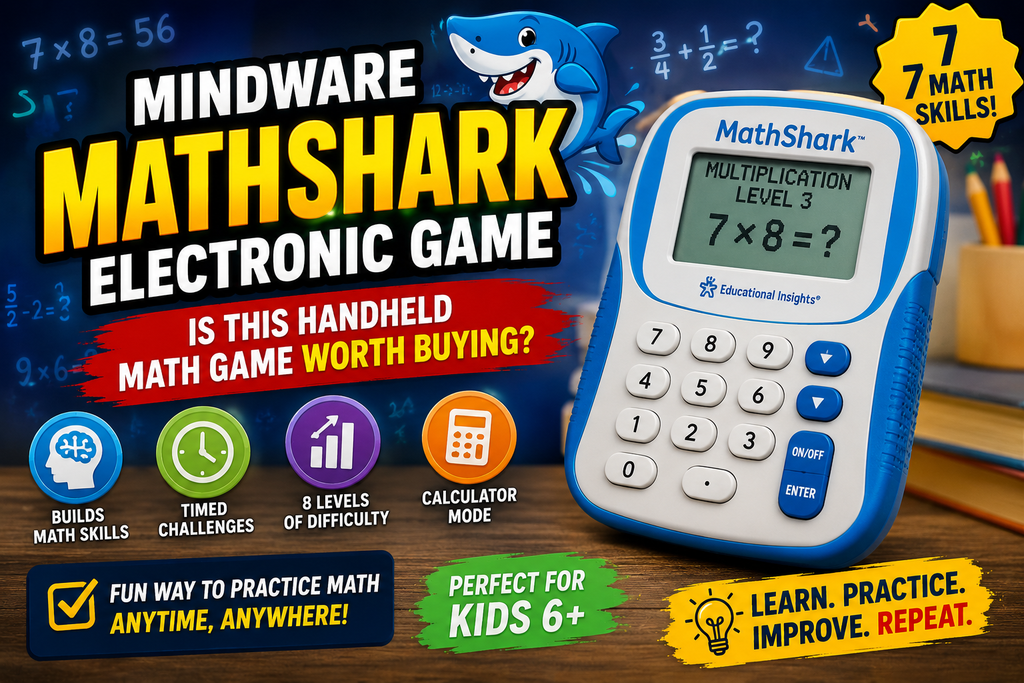
What Is the MathShark Electronic Game?
The MathShark electronic game is a handheld device designed to turn repeated math practice into a self directed quiz experience. Rather than presenting a child with a worksheet or a stack of flashcards, it displays problems on an LCD screen, accepts answers through a calculator style keypad, and provides immediate feedback.
The current version covers seven core areas: addition, subtraction, multiplication, division, fractions, decimals, and percentages. Each skill has eight difficulty levels, while timed activities encourage players to repeat sets and improve their speed. It can also switch into Calculator Mode and function as a standard calculator.
For families searching specifically for the mindware mathshark electronic game, the central appeal is straightforward: it is a screen light educational device that focuses on math practice without requiring an app subscription, WiFi connection, or smartphone.
How Does MathShark Work?
MathShark is built around short problem solving sessions. The player chooses a mathematical skill and difficulty level, works through the questions, and receives feedback after entering an answer.
The original instructional material describes a learning structure in which the player selects from the seven skills and then chooses one of eight levels. A HELP function can provide a clue or display the problem in another form. Incorrect answers are corrected and recycled so the player continues until the problems in the game set are answered correctly. At the end, the device displays elapsed time, allowing the player to repeat the activity and try to improve.
This is not a traditional video game with characters, levels to explore, or a story campaign. Its game element comes from challenge, repetition, timing, feedback, and progression.
The Seven Math Skills
The current MathShark focuses on:
- Addition
- Subtraction
- Multiplication
- Division
- Fractions
- Decimals
- Percentages
That range gives it a longer useful lifespan than a device built around only basic arithmetic. A child can begin with foundational number facts and later move toward more complex material as their confidence develops. The official product information describes eight levels for each skill, making the device adaptable to different stages of learning.
Immediate Feedback and Timed Practice
One of MathShark’s strongest design choices is its immediate response system. The device tells the player whether an answer is correct rather than leaving them to discover mistakes at the end of a worksheet.
The older instructional guide explains that correct and incorrect responses receive different feedback, while missed problems are repeated until they are solved correctly. The elapsed time display also creates a simple personal challenge: repeat a set and attempt to finish it more efficiently.
That approach can be particularly useful for practicing math facts that benefit from recall and repetition. It is less suitable as a complete substitute for teaching a new mathematical concept from the beginning.
Why the “Game” Approach Can Work
The MathShark format uses a familiar game loop: receive a challenge, submit an answer, get feedback, finish the round, and attempt to improve the next time. That structure does not transform mathematics into an adventure game, but it can make repetitive practice feel more purposeful.
This distinction is worth making. A child who expects something resembling a console, mobile, or browser game may find MathShark fairly basic. A learner who enjoys personal challenges, speed tests, and visible progress is more likely to respond positively.
Recent customer feedback also reflects this split. Some buyers describe the device as useful for independent practice and travel, while others have criticized screen readability or the interface. The current official product also confirms that the LCD is not backlit, so lighting conditions can affect usability.
What Makes MathShark Different From Flashcards and Apps?
MathShark sits in an interesting middle ground between traditional learning materials and modern educational apps.
A flashcard provides a question and requires the learner to check the answer manually or with another person. A typical educational app may add animations, rewards, characters, accounts, progress tracking, and sometimes subscriptions. MathShark takes a simpler route: it automates the question and answer loop while keeping the experience focused almost entirely on solving math problems.
No WiFi, Account, or Subscription Required
For many families, the offline design is a genuine advantage. The device is self contained and portable. There is no need to create an account, connect to a classroom platform, manage screen time permissions, or maintain a subscription.
That makes MathShark particularly practical for:
- Car and plane travel
- Waiting rooms
- Short homework sessions
- Homeschool practice
- Classroom learning stations
- Screen light independent activities
The current Educational Insights model requires two AAA batteries, which are not included. Earlier versions and listings used different product numbers and may specify AA batteries, so buyers should check the exact model before purchasing replacements or comparing specifications.
A More Focused Experience Than Most Math Apps
MathShark has very little distraction built into its design. There are no open worlds, collectible characters, advertisements, or constant visual rewards competing with the math itself.
That can be a benefit or a limitation depending on the child.
For a student who becomes distracted easily, the focused interface may help keep the activity centered on solving problems. For a child who needs animation, narrative, and variety to stay engaged, the device may feel dated compared with current educational games.
The right question is not simply, Is MathShark fun? A better question is, Does this learner enjoy short, repeatable challenges and trying to beat a previous score?
Is the MindWare MathShark Electronic Game Actually Educational?
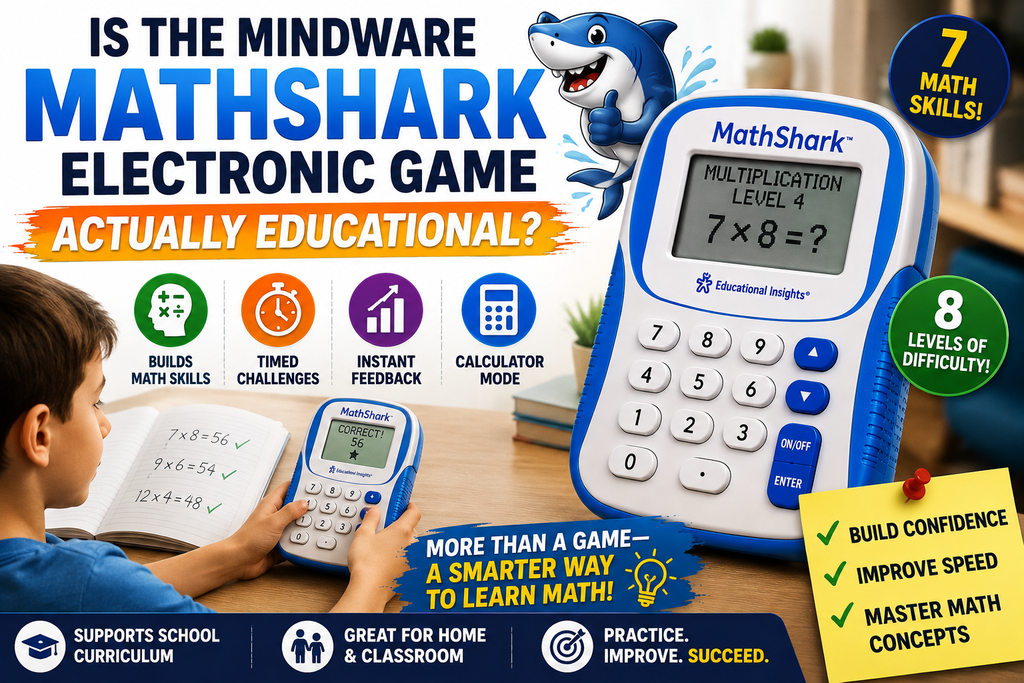
Yes, but its educational strength is specific.
MathShark is most useful for practice and reinforcement. It can help learners repeatedly work with math facts and operations, but it should not be expected to replace instruction when a child does not yet understand the underlying concept.
A student who does not understand why fractions work, for example, may need explanation, visual models, or teacher guidance before a timed electronic quiz becomes useful. Once the concept is understood, repeated practice can help improve familiarity and recall.
The Value of Immediate Feedback
Waiting until the end of a worksheet to discover mistakes can make practice less efficient. MathShark provides feedback during the activity, and its learning format recycles incorrect answers for another attempt.
The instructional guide describes this as a no fail structure: play continues until the problems in the set have been answered correctly. A HELP function can also provide clues when the player gets stuck.
This does not guarantee learning by itself, but it creates a useful feedback loop:
Attempt → feedback → correction → repeated attempt
For basic fact fluency, that structure can be more engaging than completing an isolated page of problems.
Difficulty Levels Give It More Longevity
The device’s eight levels per skill are one of its most practical features. A child does not have to master every skill at the same pace.
For example, multiplication may require more repetition while addition remains easy. The player can concentrate on the weaker area instead of repeatedly practicing material that has already become automatic.
The official instructions also show that the higher levels move beyond simple fact drills, with some advanced arithmetic sections introducing missing number problems connected to pre algebra skills. Fractions, decimals, and percentages progress through increasing levels of difficulty.
Who Is MathShark Best For?
The current product is marketed for ages 6 and up, and Educational Insights describes it as suitable for children roughly ages 6–12 because the skills and difficulty levels can be adjusted.
Age, however, is less useful than mathematical readiness.
Children Building Basic Math Fluency
MathShark makes the most sense for students who are already learning basic operations and need more regular practice.
A child working on multiplication tables, for example, can use the repeated drill structure to focus on a particular area and gradually increase the challenge.
It is especially useful when worksheets have become monotonous but the learner still needs consistent repetition.
Independent Learners
The device is designed so that a child can complete a practice session without an adult reading every question or marking every answer.
That makes it suitable for short independent sessions. Parents and teachers can select an appropriate starting point, then allow the learner to work through a set.
For younger children, some initial assistance may still be necessary to understand the menus and choose the appropriate skill and level. Customer feedback has similarly noted that setup can require help for younger users, even though the basic answer entry process is relatively straightforward.
Homeschool Families and Classrooms
MathShark works best as a supplementary tool rather than the centerpiece of a math curriculum.
In a homeschool environment, it can provide a quick daily practice activity between lessons. In a classroom, it can work as an individual learning station or an option for students who finish assigned work early.
Its portability is particularly useful because the device does not depend on a shared computer, internet connection, or classroom login.
Adults Who Want Mental Math Practice
Although designed primarily for children, the range of skills can also make MathShark useful for adults who simply want to refresh basic arithmetic or practice calculations involving percentages, decimals, and fractions.
One recent verified customer review described using the device specifically to become faster at calculations and highlighted its self competition element. That is only one user’s experience, not a universal result, but it illustrates that the product’s usefulness is not necessarily limited by its children’s toy branding.
Where MathShark Falls Short
No product is ideal for every learner, and MathSharks limitations are closely connected to its deliberately simple design.
It Is Not a Full Video Game
Parents searching for a highly entertaining educational game should manage expectations.
MathShark does not offer the variety of modern browser games, mobile games, or console style educational experiences. Its gameplay is fundamentally structured math practice.
The challenge comes from:
- Solving correctly
- Working against the timer
- Improving speed
- Advancing through difficulty
- Repeating missed questions
For some children, that is enough. For others, especially those accustomed to visually rich games, it may not sustain interest for long periods.
The LCD Is Not Backlit
The current manufacturer specifically states that the screen is not backlit and recommends using the device in a well lit location.
This is a small technical detail that can make a meaningful difference. A portable learning device sounds ideal for a car ride, but poor lighting can reduce the convenience of the LCD display.
Some customer feedback has also raised concerns about readability. That does not mean every user will have the same experience, but it is a legitimate consideration before buying.
It Does Not Teach Every Concept From Scratch
MathShark is primarily a practice device.
If a learner is struggling to understand a concept, the device may reveal the problem without necessarily explaining the reasoning in enough depth to teach it from the beginning. The HELP feature is useful, but it should not be confused with a complete lesson.
For conceptual learning, MathShark works best alongside:
- Classroom instruction
- Parent or tutor support
- A structured math curriculum
- Visual learning materials
- Worked examples
How to Get the Most Value From MathShark
Buying an educational game is only part of the equation. The way it is used can determine whether it becomes a regularly used learning tool or something that disappears into a drawer.
Start Below the Frustration Level
A common mistake is assuming that a child should immediately work at the highest level associated with their grade.
A better approach is to begin with a level where the learner can experience success while still encountering some challenge. Once the answers become consistently easy, move upward.
This creates a clearer sense of progression and reduces the risk of turning a practice tool into another source of academic frustration.
Use Short Sessions
Math fact practice does not always need to last an hour.
A focused session of 10 or 15 minutes can be more useful than forcing a child to continue after concentration has disappeared. MathShark’s game based structure makes it naturally suitable for shorter sessions because players can complete a set and compare their time on a future attempt.
Focus on One Weak Area
The seven skills make it tempting to jump between everything, but targeted practice is often more practical.
A student who struggles with multiplication can spend several sessions on multiplication before switching to another topic. The same principle applies to fractions, decimals, or percentages.
The device becomes more useful when it supports a specific learning goal instead of serving as random entertainment.
Treat the Timer as Motivation, Not Pressure
Timed practice can motivate one learner and discourage another.
For competitive children, trying to beat a previous time can make repetition feel like a game. For students who become anxious under time pressure, accuracy should come first.
The goal is not simply to produce a faster number. A learner should understand the mathematics and develop confidence before speed becomes the main challenge.
MathShark vs. Traditional Flashcards
The biggest advantage MathShark has over physical flashcards is automation.
With flashcards, someone usually needs to prepare the cards, present them, check answers, and decide which facts need more practice. MathShark handles the presentation and immediate checking electronically.
Flashcards, however, remain useful because they are inexpensive, flexible, and easy to customize.
MathShark is the stronger choice when a learner enjoys electronic interaction and benefits from timed, self directed practice. Flashcards may be better when an adult wants complete control over the questions or wants to focus on a very specific set of facts.
Is MathShark Worth the Price in 2026?
The answer depends largely on how often it will be used.
Educational Insights lists the current MathShark at $35.99 on its official website as of the latest available listing. Prices from retailers can differ, and availability can change by region.
At that price, MathShark is easier to justify if it will be used over multiple years or shared among children with different skill levels.
It is harder to justify if the child already has access to a strong math learning platform and tends to abandon single purpose educational devices after a few sessions.
The product’s strongest value proposition is not flashy entertainment. It is the combination of portability, multiple math topics, adjustable difficulty, immediate feedback, and offline use.
Who Should Buy It?
MathShark is a sensible choice for:
- Children who need regular math fact practice
- Learners who enjoy timed personal challenges
- Families looking for a subscription free option
- Homeschool households
- Teachers building independent learning stations
- Parents who want an offline travel activity with educational value
- Students working through addition, subtraction, multiplication, division, fractions, decimals, and percentages
Who Should Consider Something Else?
Another learning option may be better for:
- Children who need visual explanations before practicing
- Learners who strongly prefer story driven or highly animated games
- Families looking for detailed progress reports and parent dashboards
- Students who struggle with small or non backlit displays
- Anyone seeking a complete math curriculum rather than a practice tool
Frequently Asked Questions
Is the MindWare MathShark electronic game the same as the current MathShark?
The product name can cause confusion because MathShark has appeared through different retailers and older product listings. The current version is sold as MathShark by Educational Insights, item 8494. Older versions may have different model numbers and specifications, so check the exact product listing before buying accessories or comparing features.
What math subjects does MathShark cover?
MathShark covers seven areas: addition, subtraction, multiplication, division, fractions, decimals, and percentages. The current model provides eight difficulty levels for each skill.
What age is MathShark best for?
The current product is labeled for ages 6 and up, and Educational Insights describes it as suitable for children roughly ages 6–12. Actual suitability depends more on the learner’s math level and comfort with independent practice than age alone.
Does MathShark require WiFi or a subscription?
No. MathShark is a standalone handheld device and does not require WiFi, an account, or a subscription for normal use.
Does the current MathShark have a backlit screen?
No. Educational Insights states that the current LCD screen is not backlit, so it is best used in a well lit environment.
Can MathShark replace a regular math curriculum?
No. MathShark is best viewed as a practice and reinforcement tool. It can support fact fluency and repeated skill practice, but students who are learning a concept for the first time may still need instruction, examples, visual models, or teacher guidance.
Final Verdict on the MindWare MathShark Electronic Game
The mindware mathshark electronic game remains an appealing concept because it solves a simple problem: repetitive math practice can be tedious, but it does not always need an internet connected app or elaborate gamification system.
Its design is straightforward. Choose a skill, solve problems, receive immediate feedback, complete the set, and try to improve. The seven skill areas and eight difficulty levels give the device more depth than a basic arithmetic quiz toy, while the calculator mode adds practical functionality.
Its limitations are equally clear. The experience is closer to an electronic challenge system than a modern video game, the LCD is not backlit, and the device is better at reinforcing learned material than teaching unfamiliar concepts from scratch.
For the right learner, those limitations are not deal breakers. A child who enjoys measurable progress and short challenges may use MathShark far more consistently than traditional worksheets. For a learner who needs animation, storytelling, or detailed lessons, another educational tool may be a better fit.
The best reason to consider MathShark in 2026 is its focused simplicity. It offers portable, offline math practice with adjustable difficulty and immediate feedback, without asking families to manage another subscription. If that matches how a child learns, it can still be a worthwhile addition to a home or classroom math toolkit.
LEAVE A PIXEL ZINE COMMENT